

How can I update information about a supplier company?
Online version: https://help.allmaz.az/guides/supplier-management/update-supplier-info/
A supplier’s company information is maintained by the supplier itself. On the buyer side, the AVL Manager can only change the supplier’s notification e-mails.
-
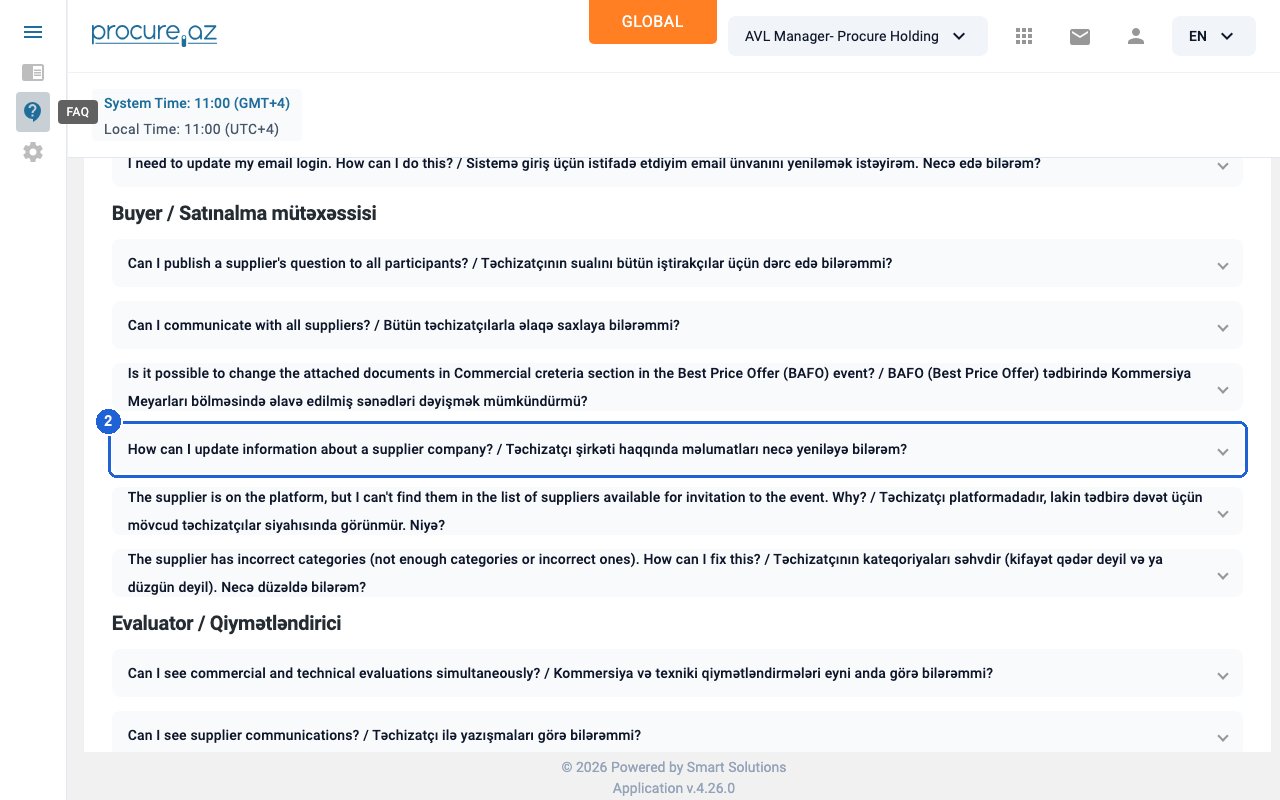
Open the FAQ
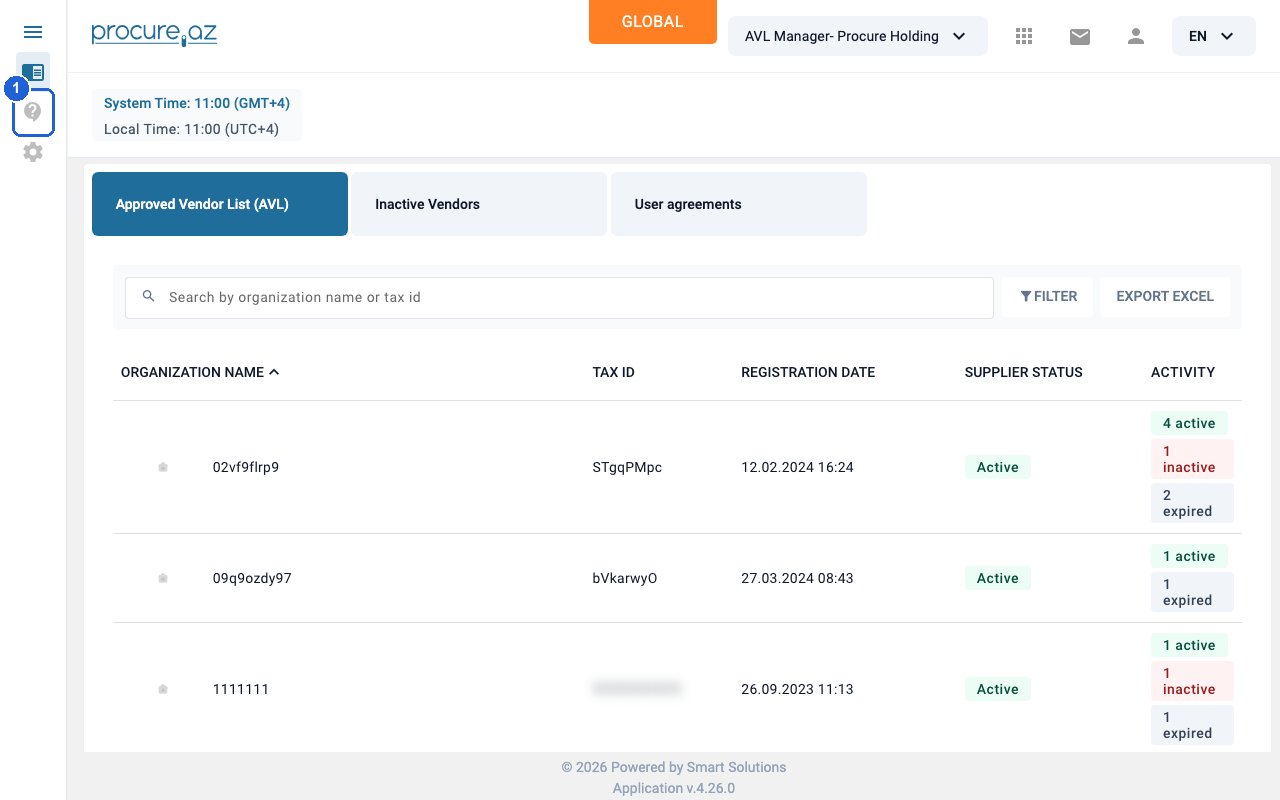
In Supplier Management, click the question-mark icon in the left sidebar.
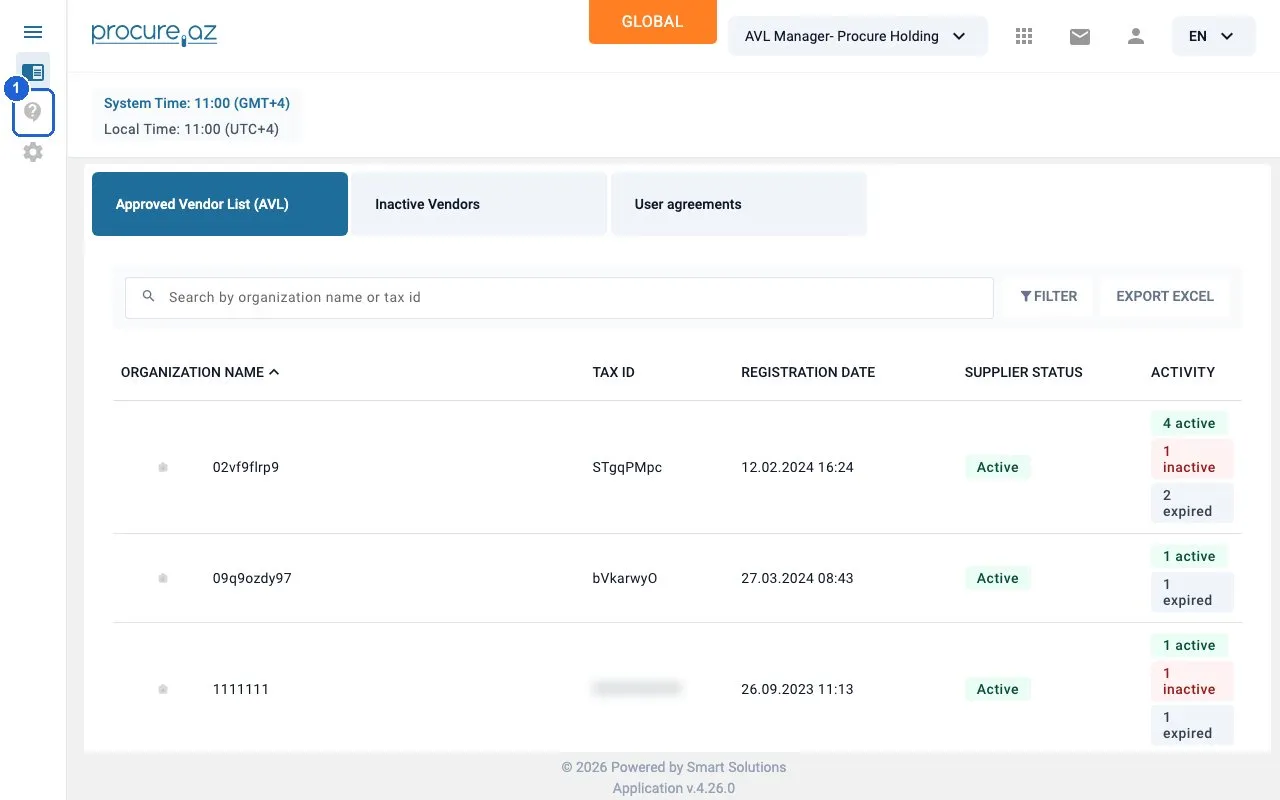
Step 1: Open the FAQ. -
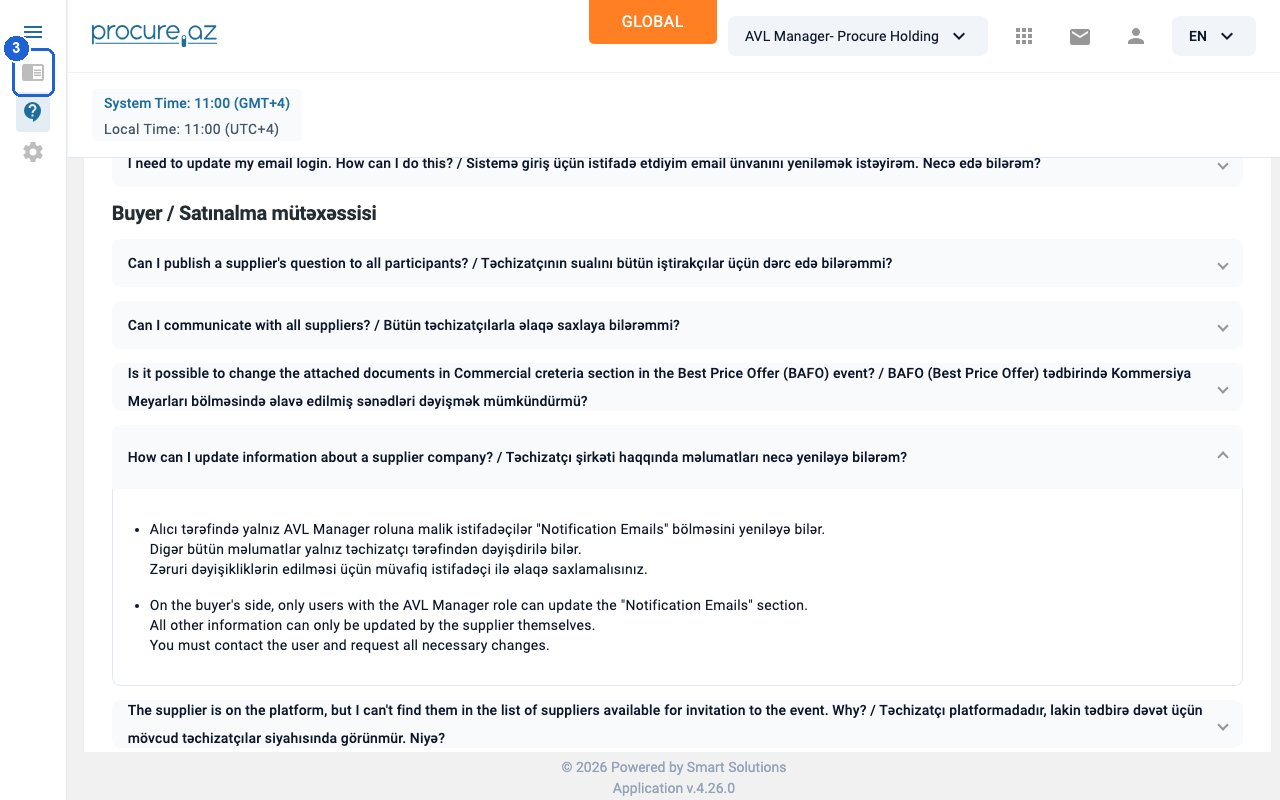
Find the question
Open “How can I update information about a supplier company?” in the Buyer section.
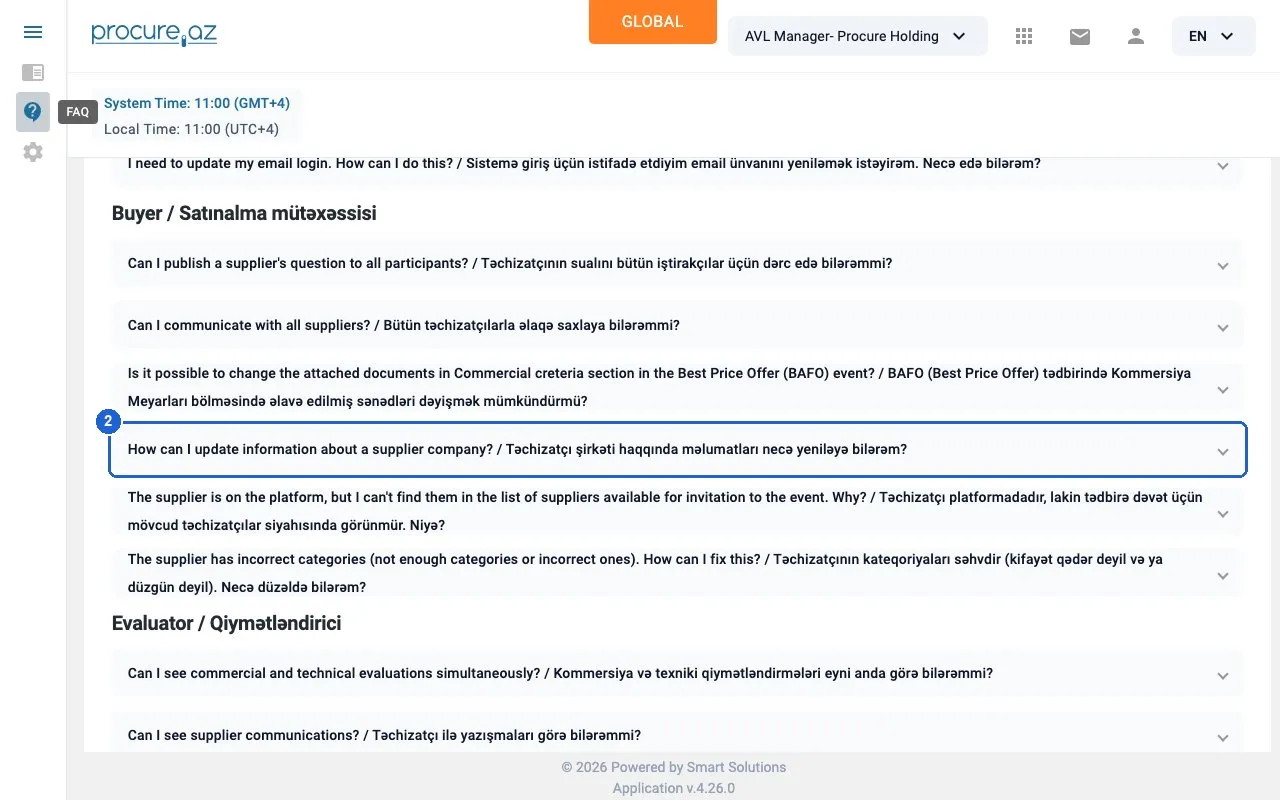
Step 2: Find the question — click “How can I update information about a supplier company?”. -
Read the answer
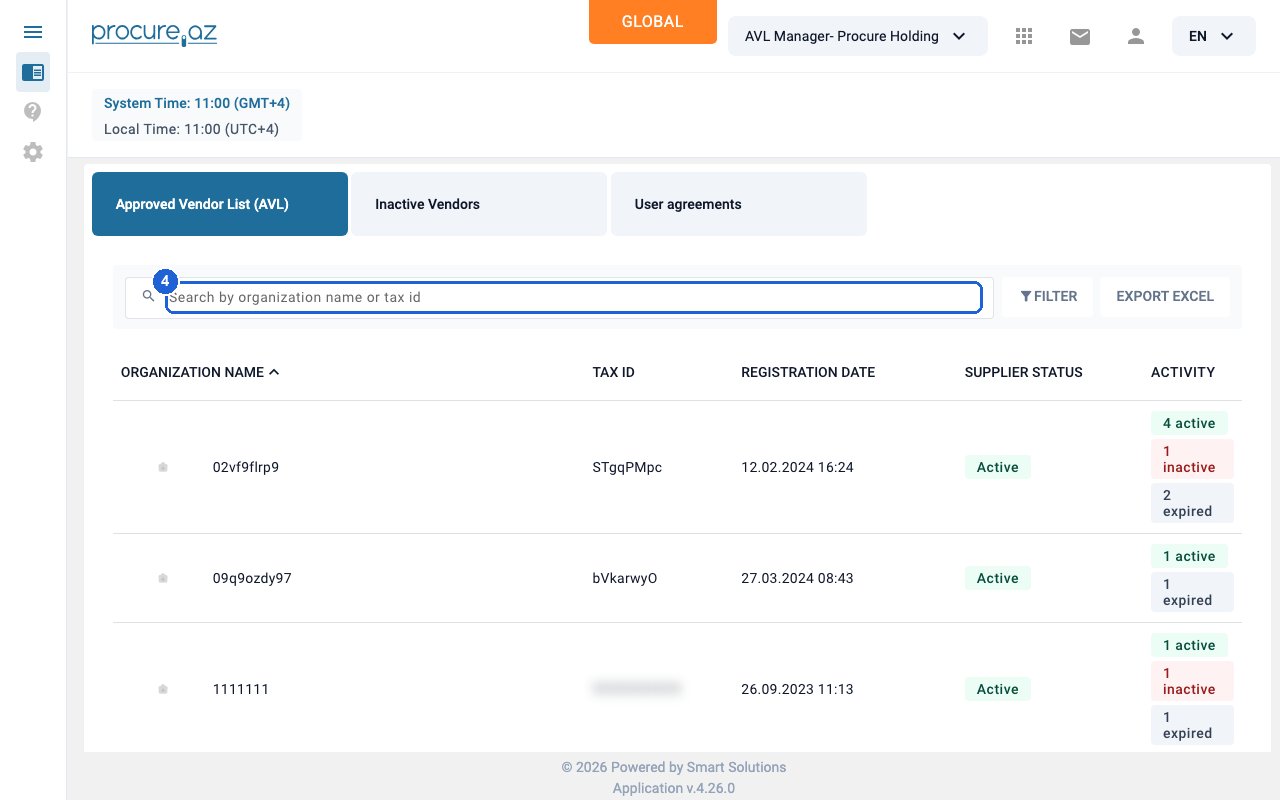
Only the AVL Manager can update a supplier’s “Notification Emails”. Everything else is updated by the supplier: contact them and ask for the changes. To see what you can edit, open the Approved Vendor List from the left sidebar.
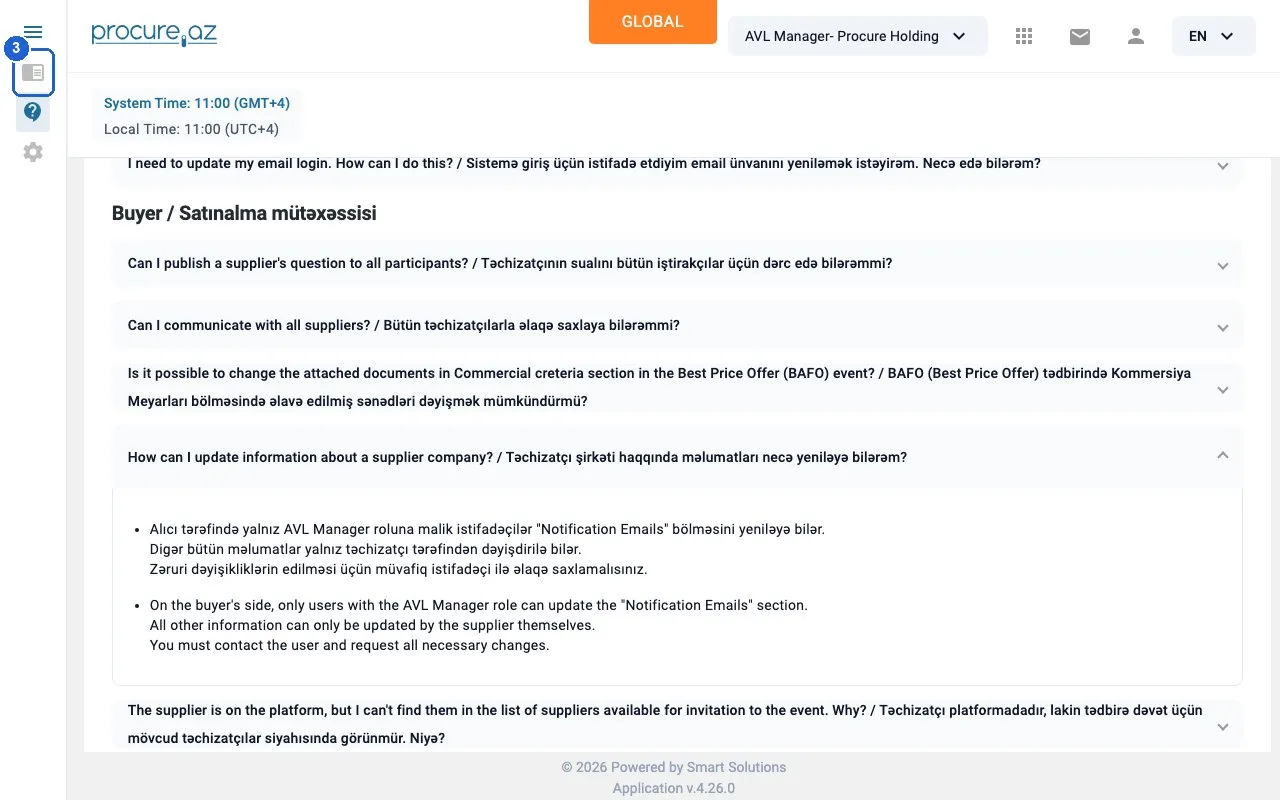
Step 3: Read the answer. -
Find the supplier
Type the supplier’s name or tax ID in the search box (here “AyCompany”) and press Enter.
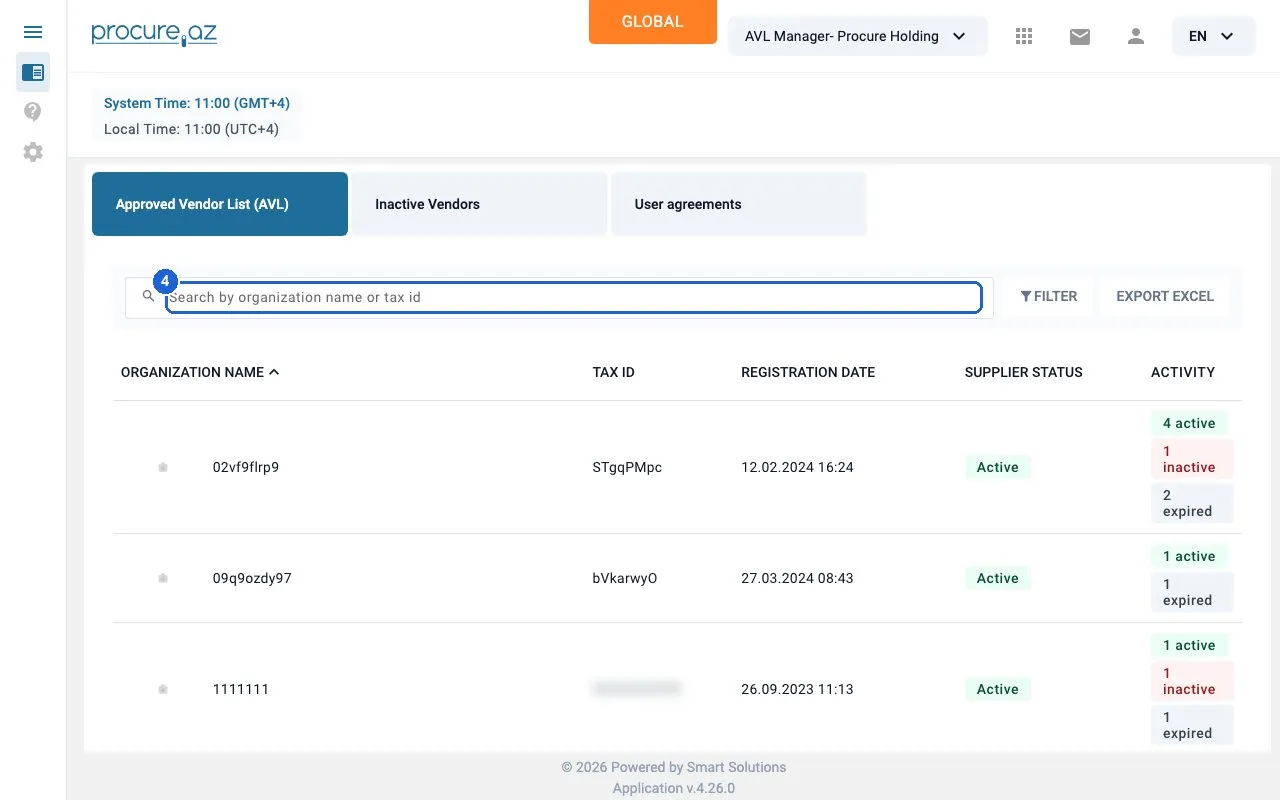
Step 4: Find the supplier. -
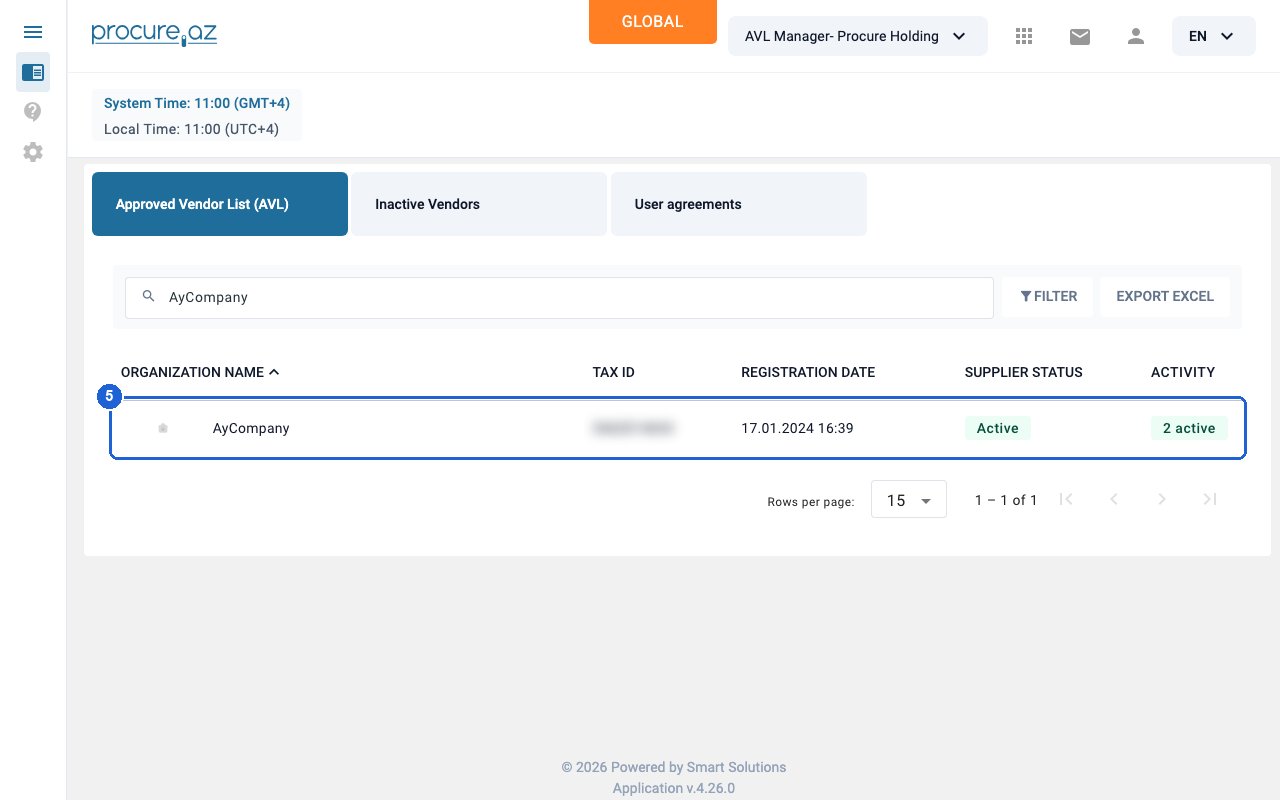
Open the supplier’s profile
Click the supplier’s name in the ORGANIZATION NAME column (here “AyCompany”).
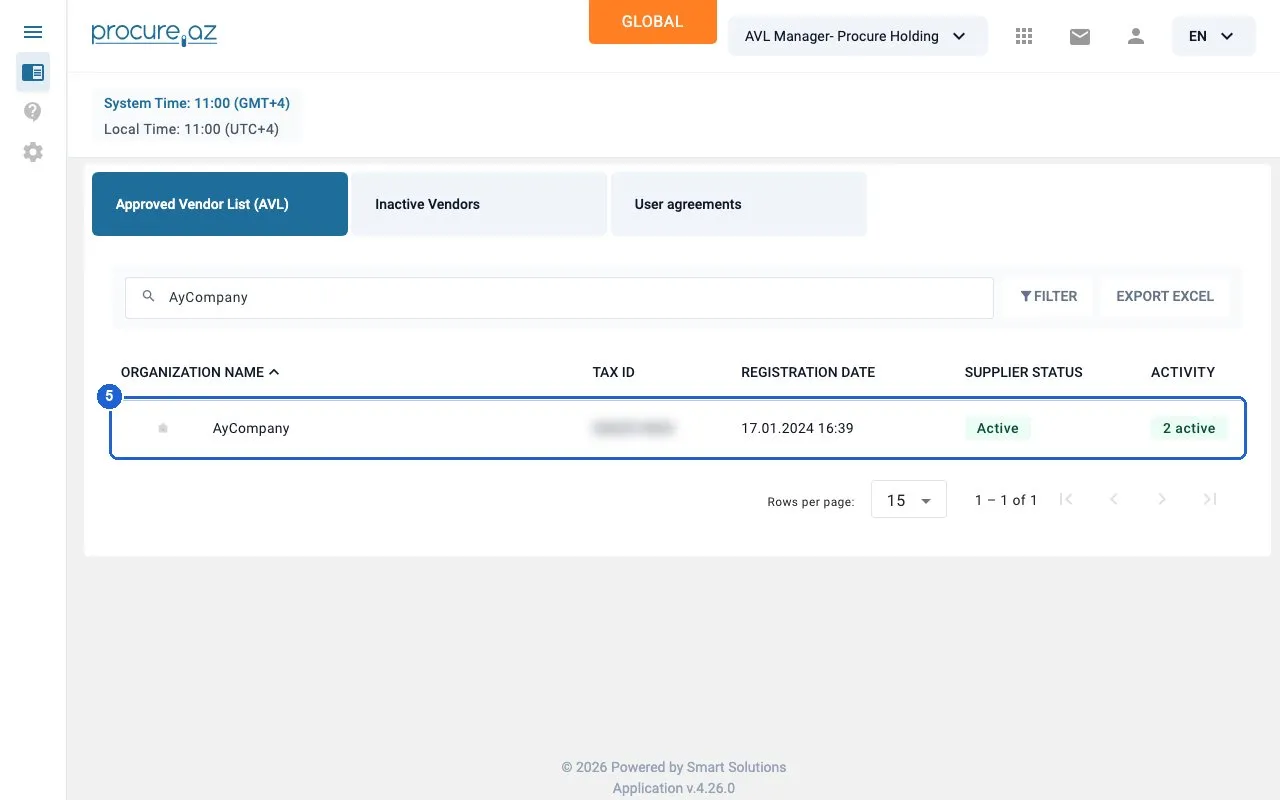
Step 5: Open the supplier's profile. -
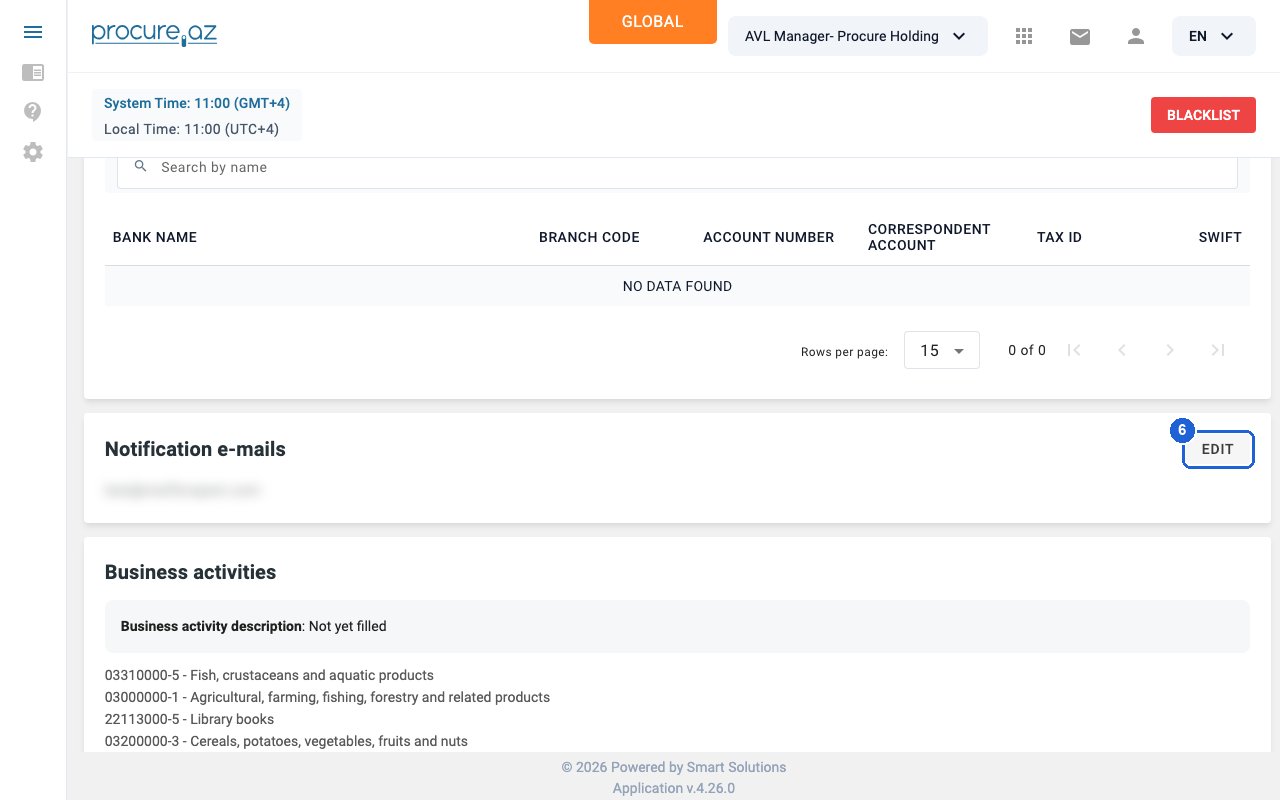
Edit the notification e-mails
On General info, the company data and bank details are read-only. Scroll down to Notification e-mails and click EDIT.
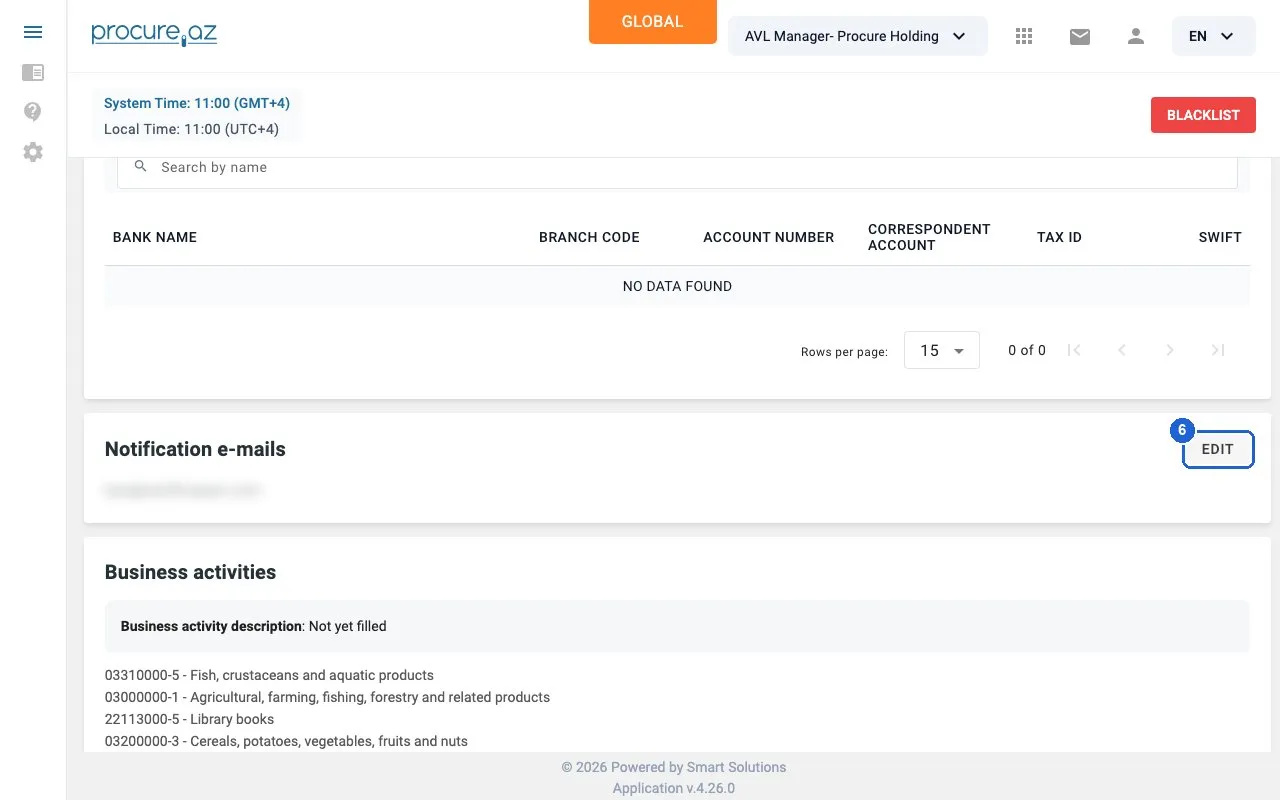
Step 6: Edit the notification e-mails — click “EDIT”. -
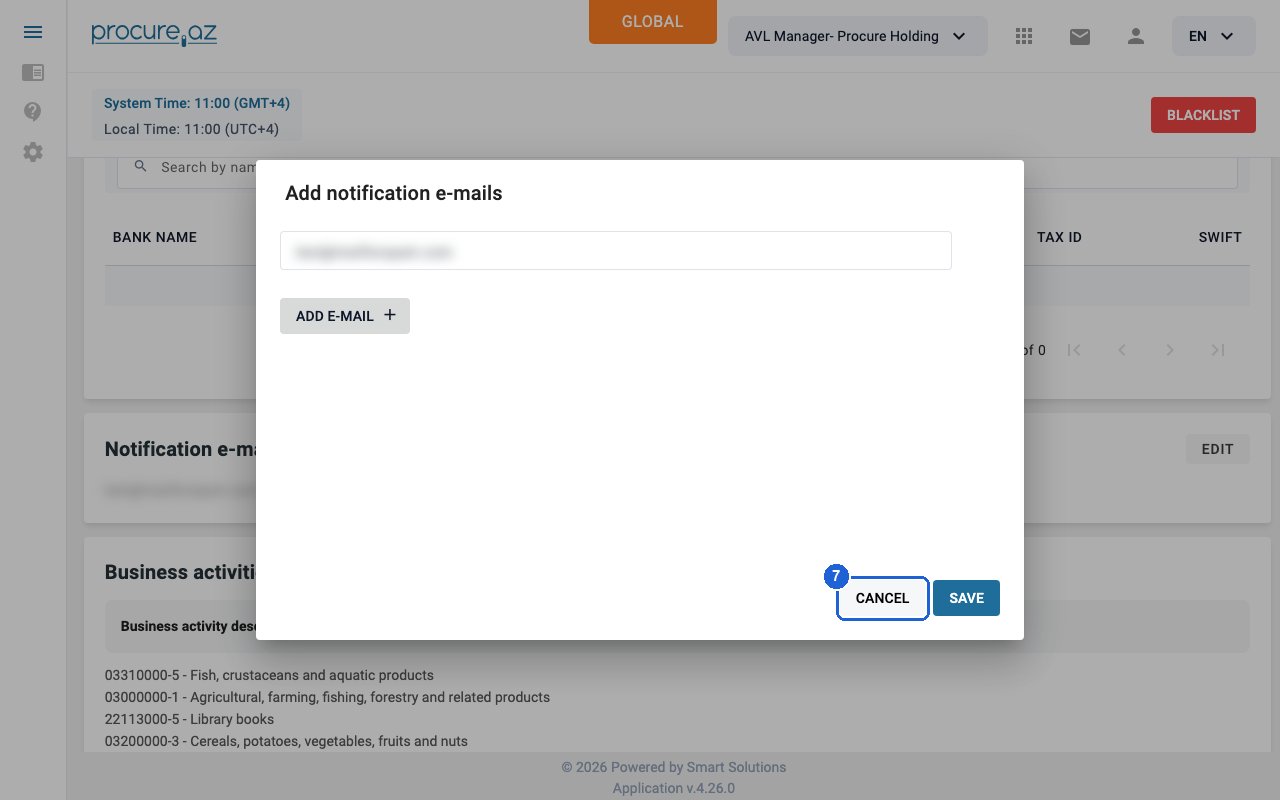
Add or change addresses
In “Add notification e-mails”, change an address, remove one with its delete icon, or click ADD E-MAIL + for a new one, then SAVE. Here we close the dialog with CANCEL.
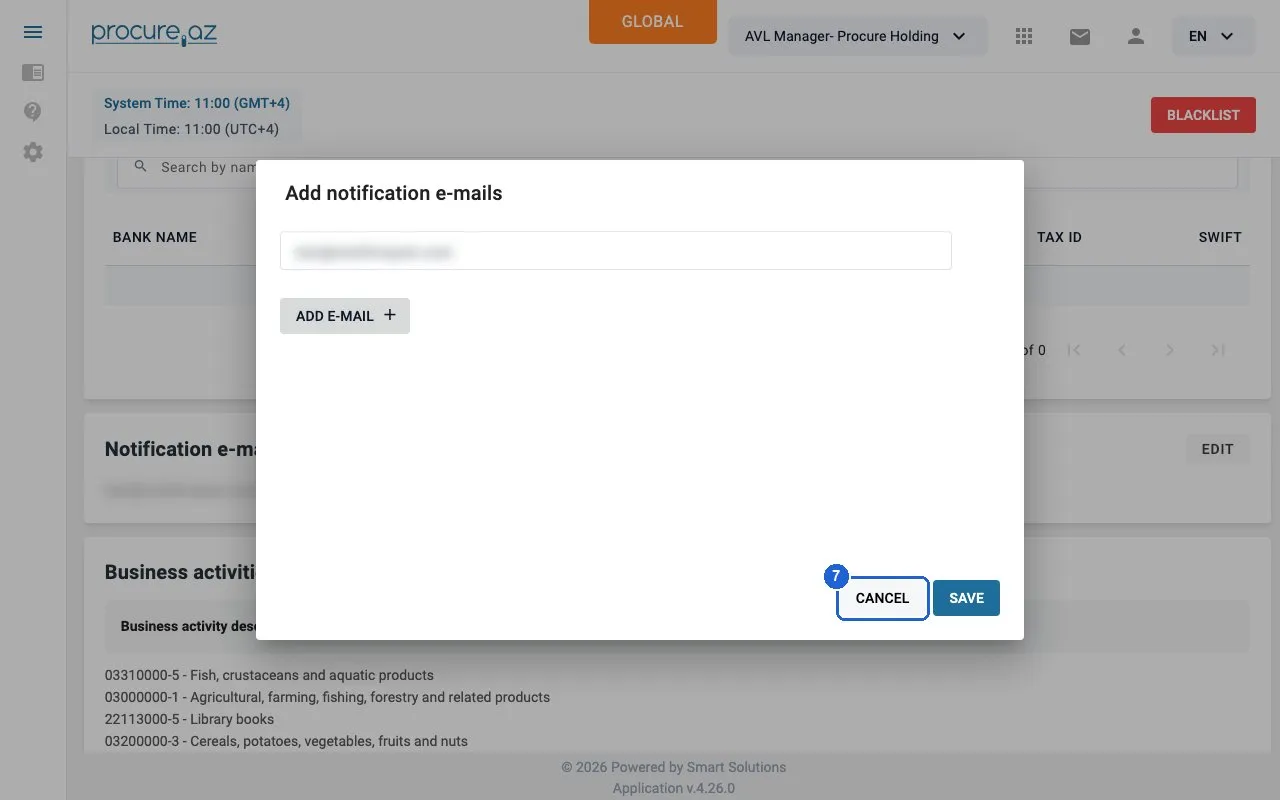
Step 7: Add or change addresses — click “CANCEL”.
Good to know
Section titled “Good to know”- For any other change (company name, tax ID, address, phone, website, bank details), contact the supplier and ask them to update it in their own account.
- The FAQ is under the question-mark icon in the left sidebar of every module.
- A supplier can have a limited number of notification e-mails: once the list is full, ADD E-MAIL is disabled.