

How can I evaluate the advance payment?
Online version: https://help.allmaz.az/guides/sourcing/evaluate-advance-payment/
The buyer scores the advance payment that suppliers asked for on the Commercial criteria tab, in the Advance payment card, once the technical evaluation is finished.
-
Open Commercial criteria
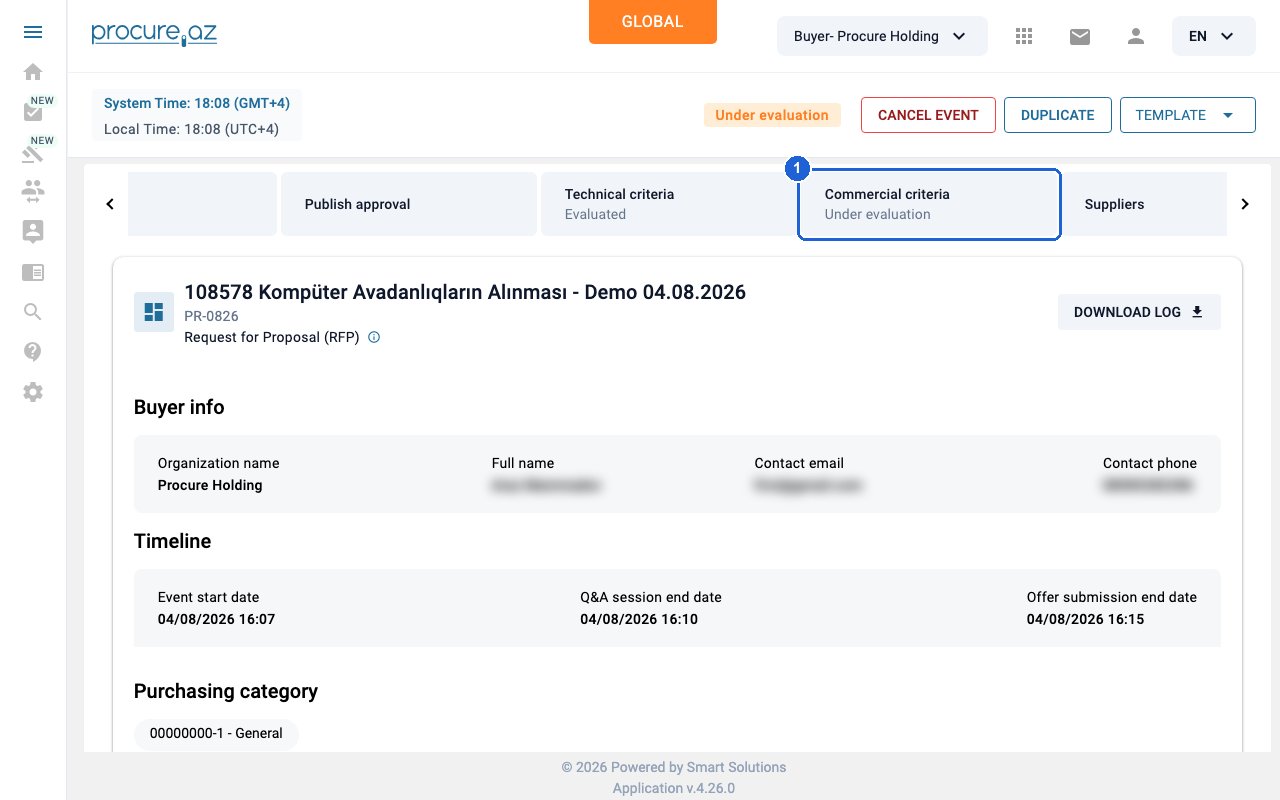
Open the event (Under evaluation) and click the Commercial criteria tab.
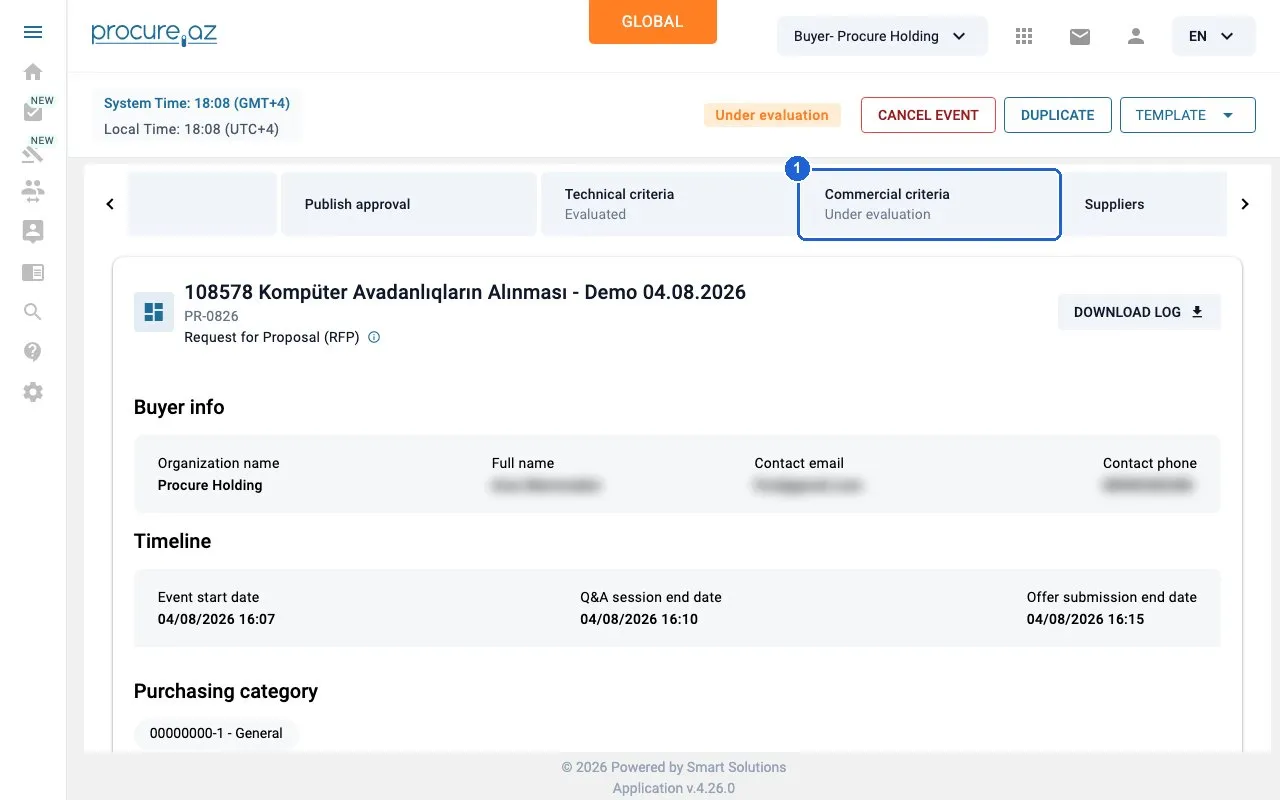
Step 1: Open Commercial criteria — click “Commercial criteria Under evaluation”. -
Edit the advance payment scores
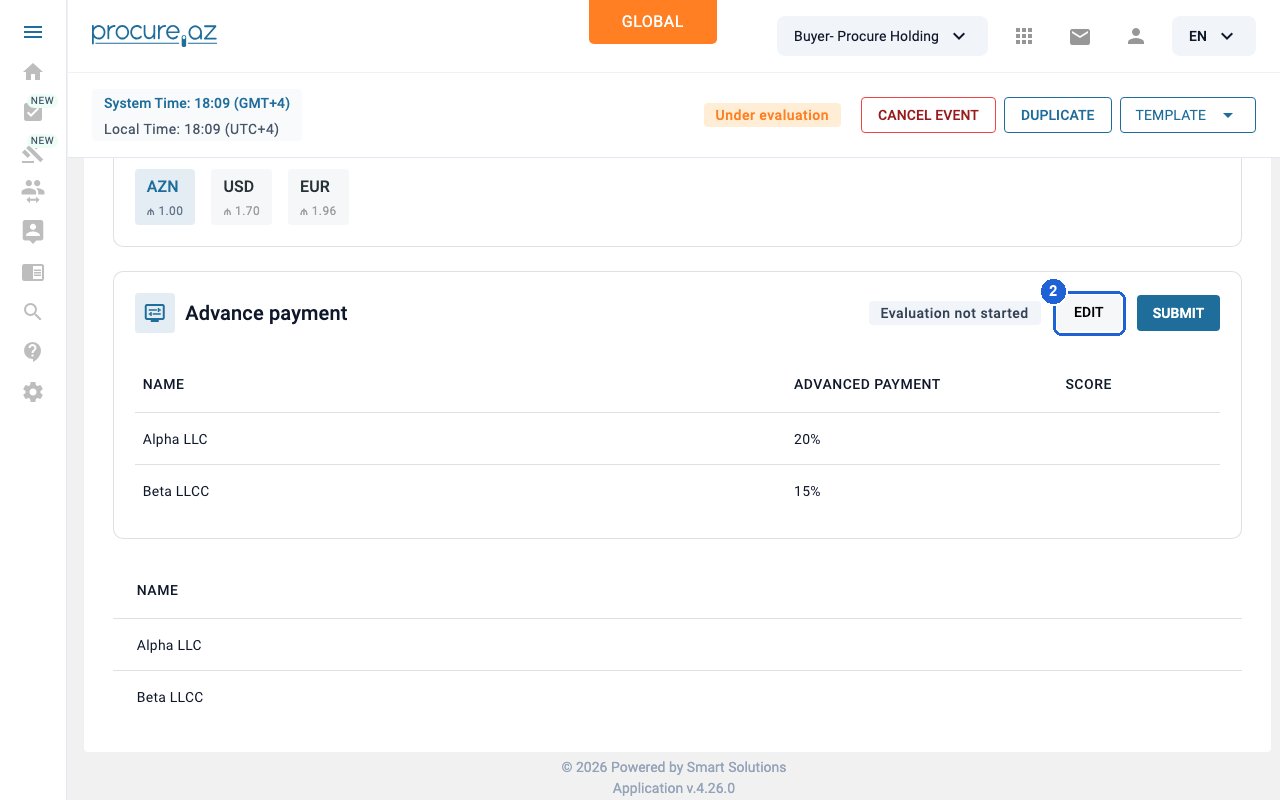
Scroll down to the “Advance payment” card. It lists the advance payment each supplier asked for (ADVANCED PAYMENT). Click EDIT on the card.
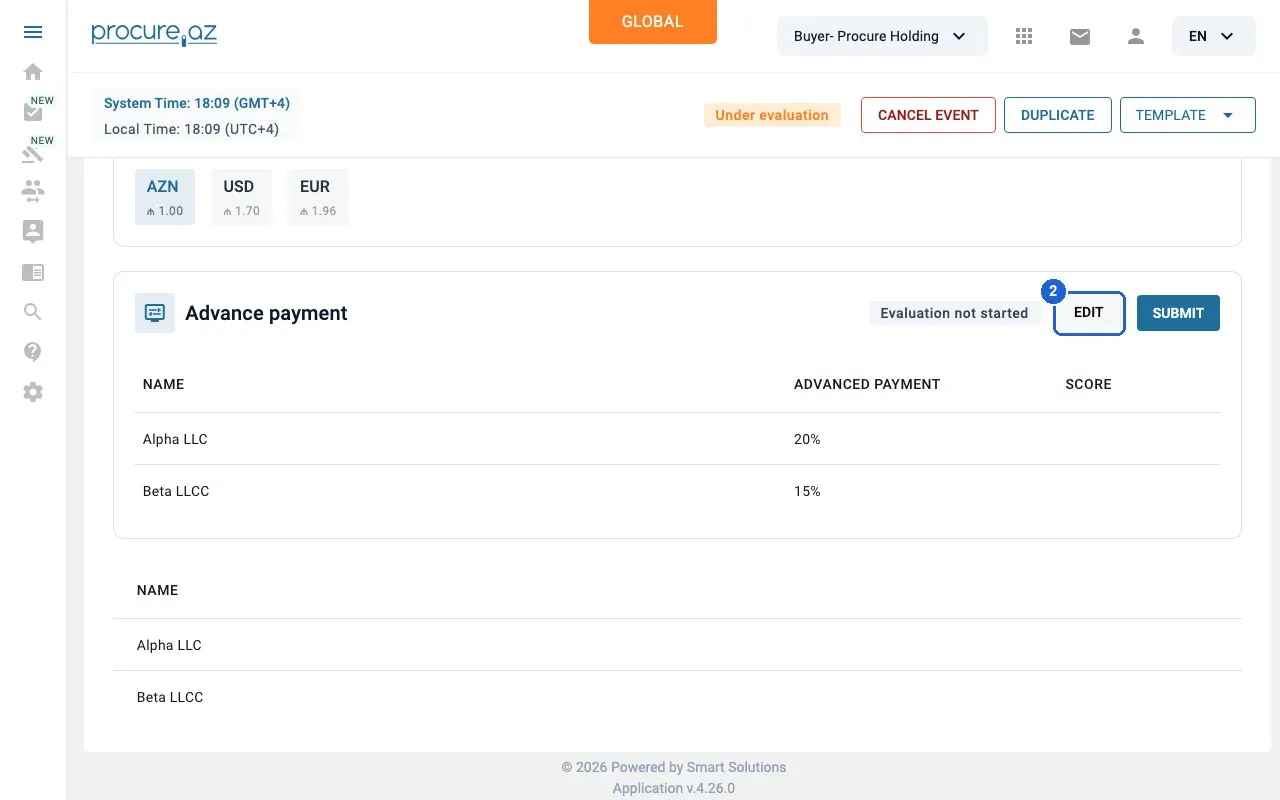
Step 2: Edit the advance payment scores — click “EDIT”. -
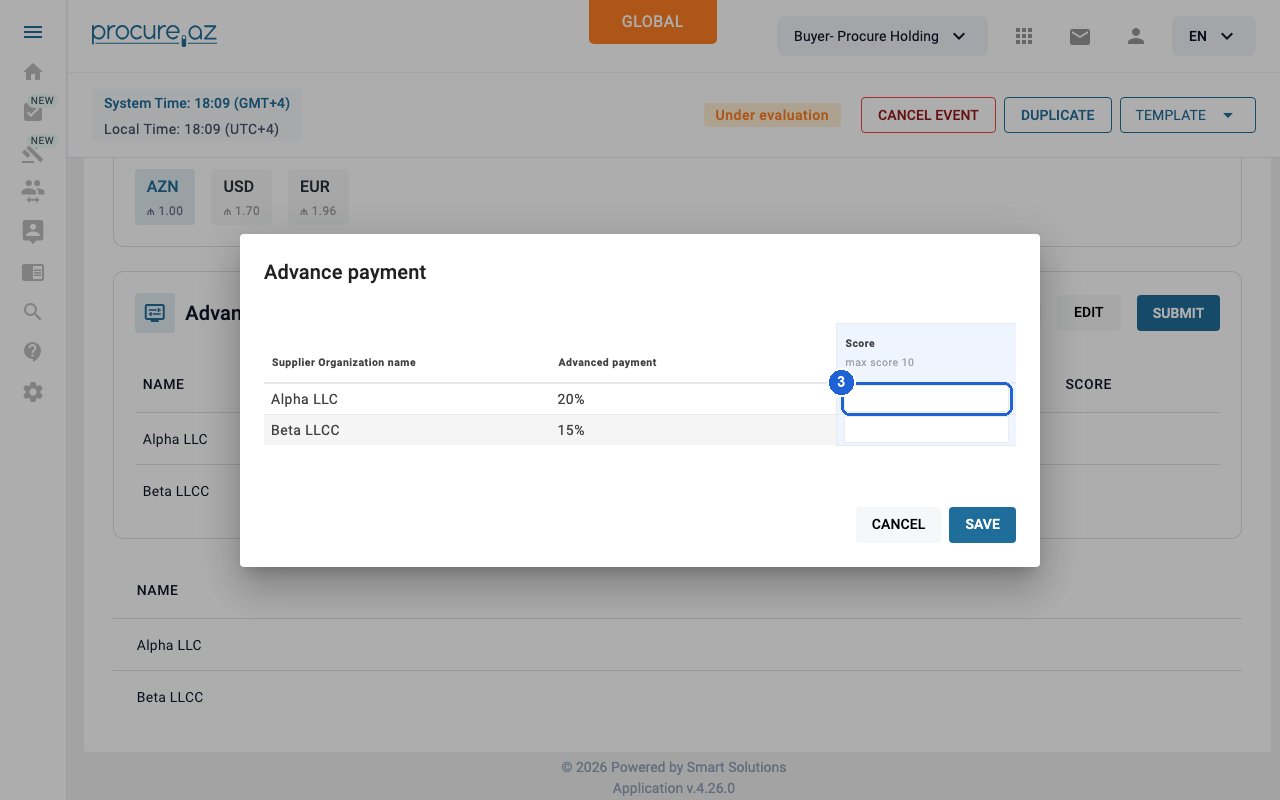
Score the first supplier
In the Advance payment dialog, type the supplier’s score in the Score column (here 6 for Alpha LLC). The column header shows the maximum score.
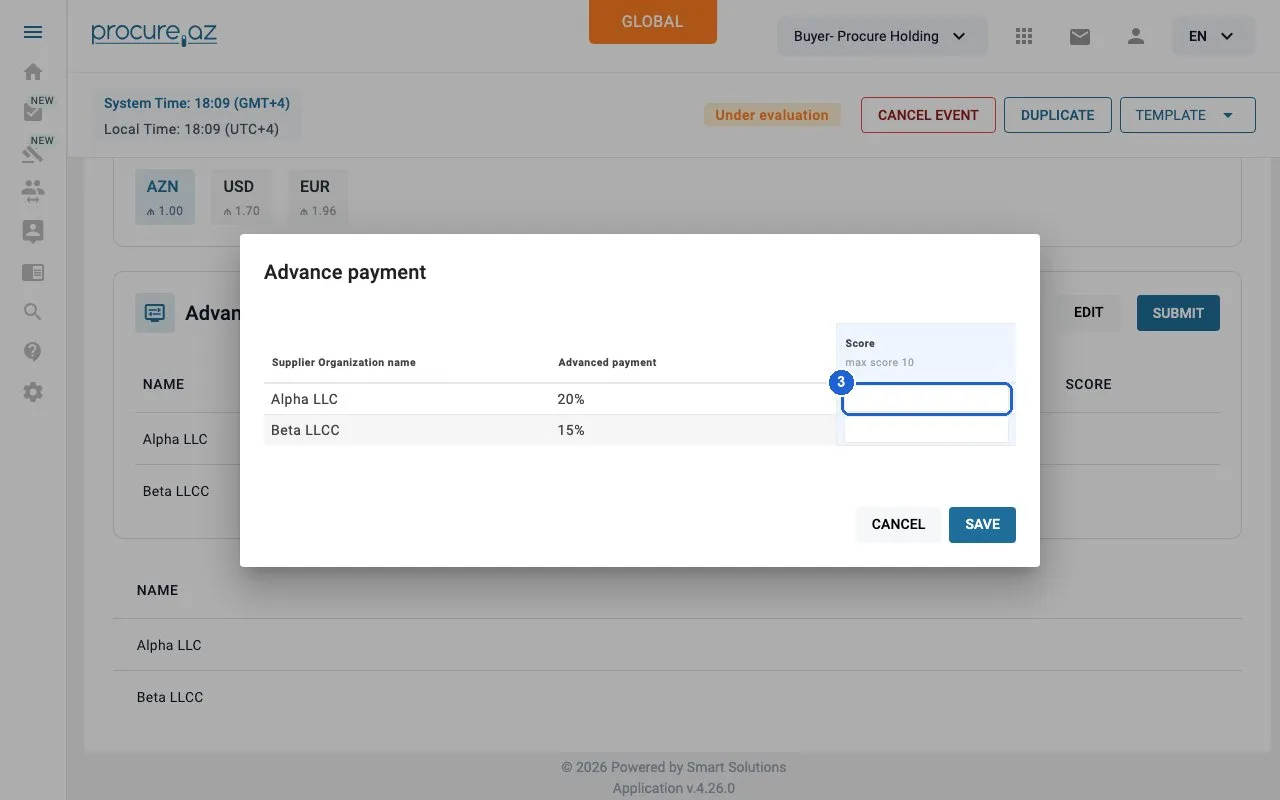
Step 3: Score the first supplier. -
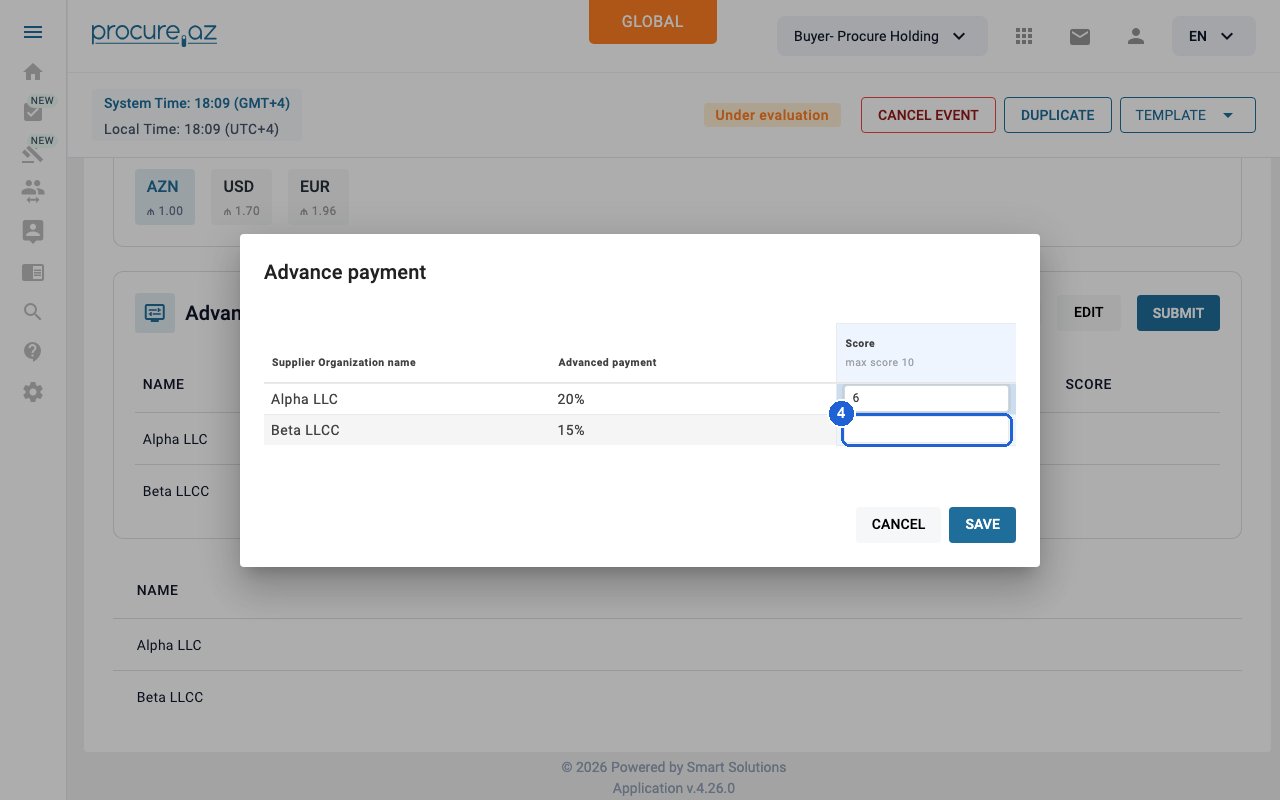
Score the other suppliers
Give every supplier a score (here 8 for Beta LLCC).
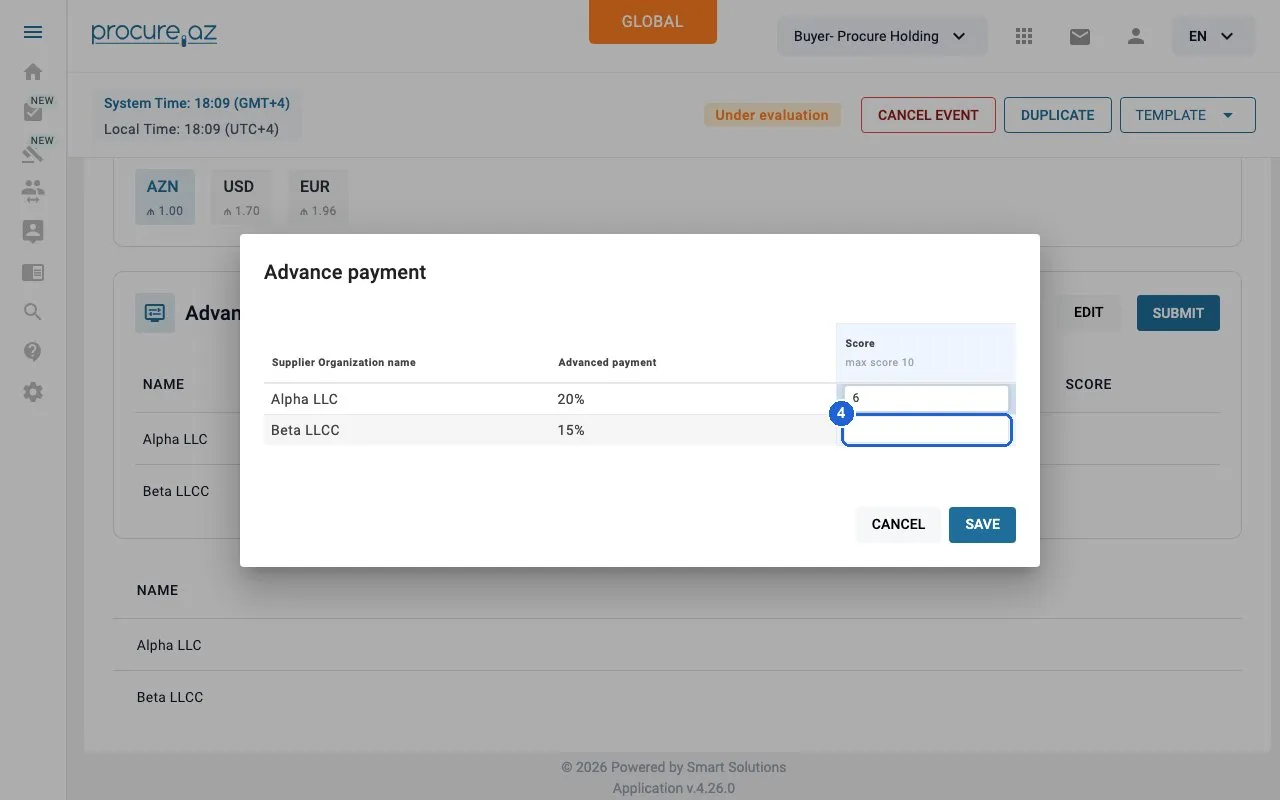
Step 4: Score the other suppliers. -
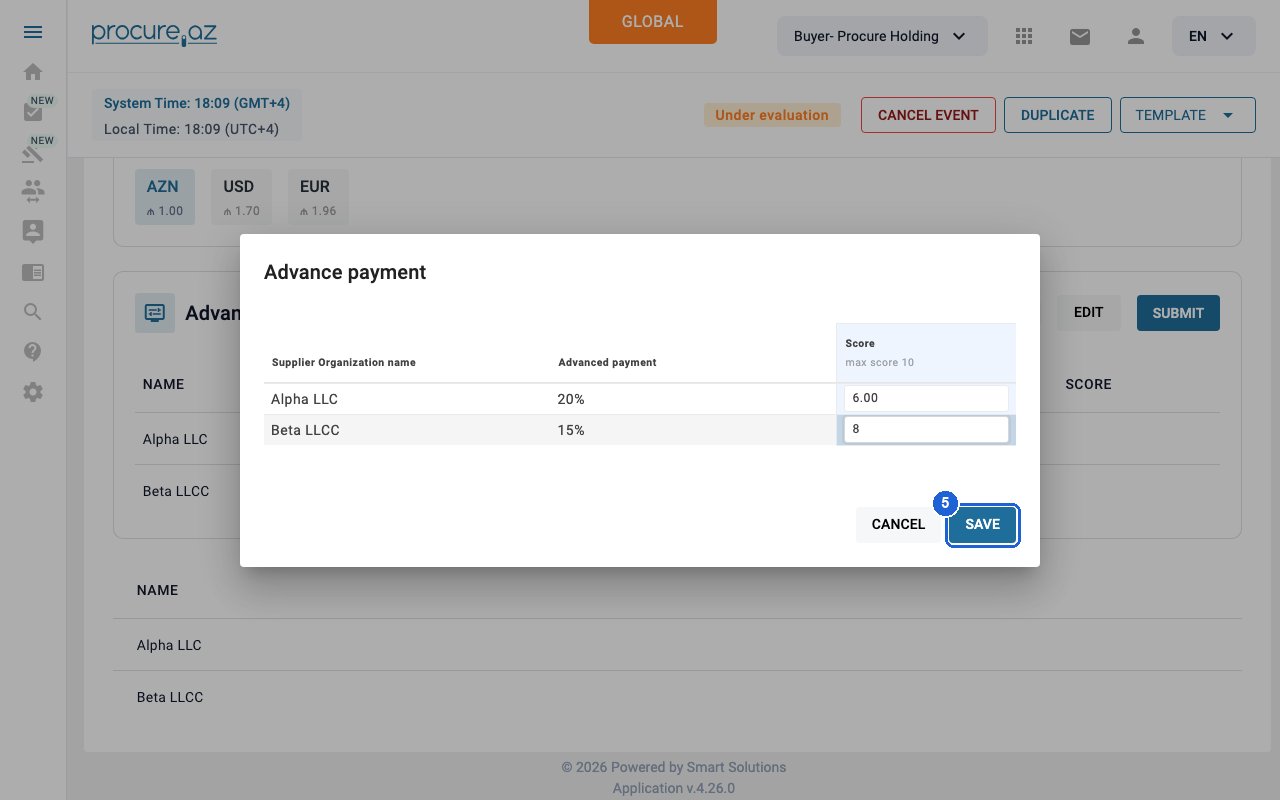
Save
Click SAVE in the dialog.
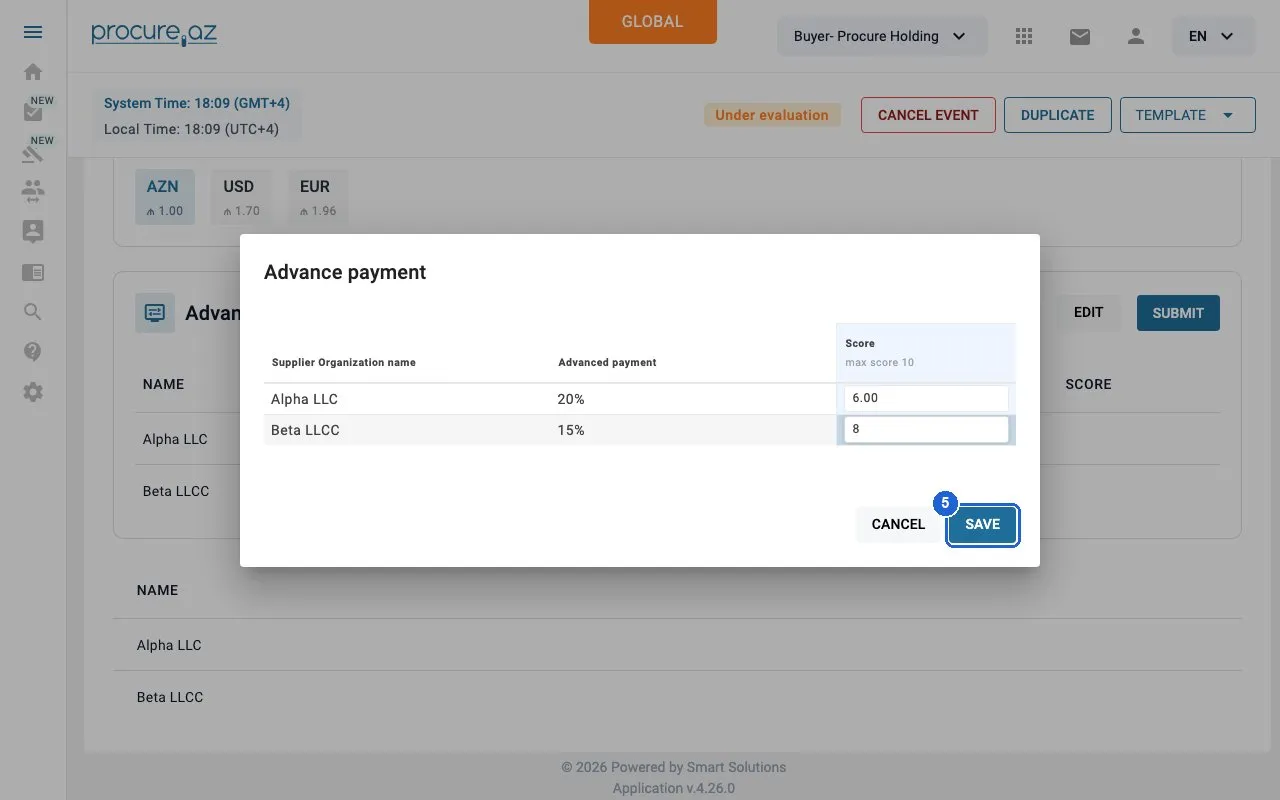
Step 5: Save — click “SAVE”. -
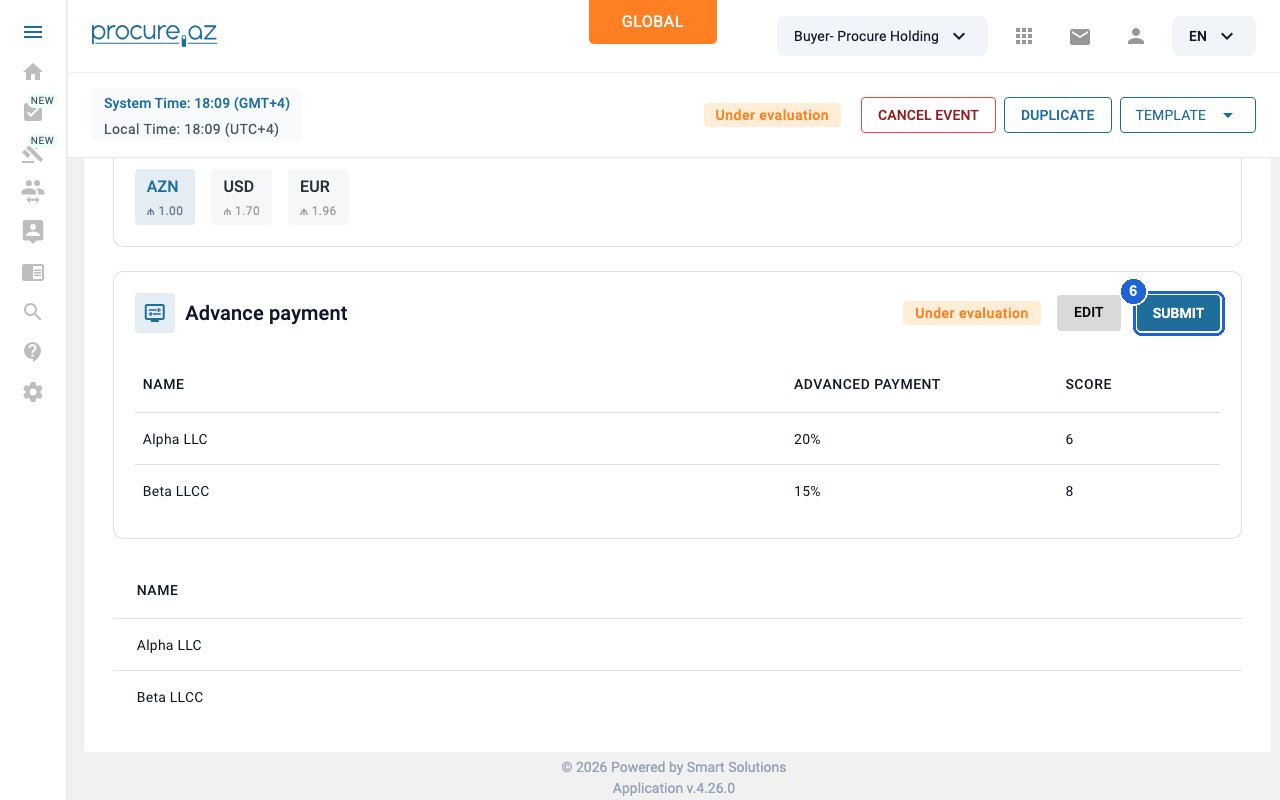
Submit
Click SUBMIT on the Advance payment card. The card shows “Evaluated” with the scores.
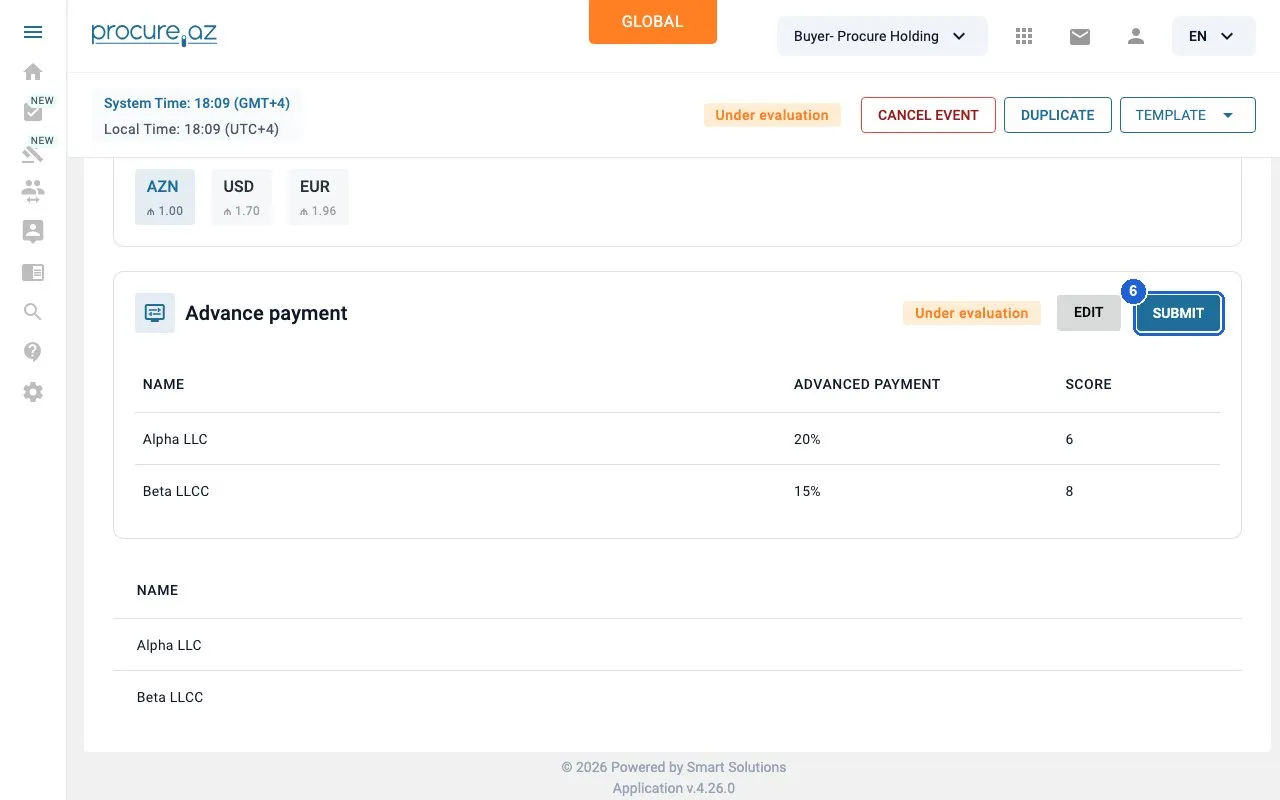
Step 6: Submit — click “SUBMIT”.
Good to know
Section titled “Good to know”- The advance payment is scored by the buyer, not by the evaluators.
- The Score column header shows the maximum (here “max score 10”) - the Advance payment score set for the event in its commercial criteria.