

How can I shortlist suppliers for the Best Price round?
Online version: https://help.allmaz.az/guides/sourcing/shortlist-best-price/
The shortlist for a Best Price round is the supplier list of the new round: create the round with NEW ROUND, then delete the suppliers who are not shortlisted.
-
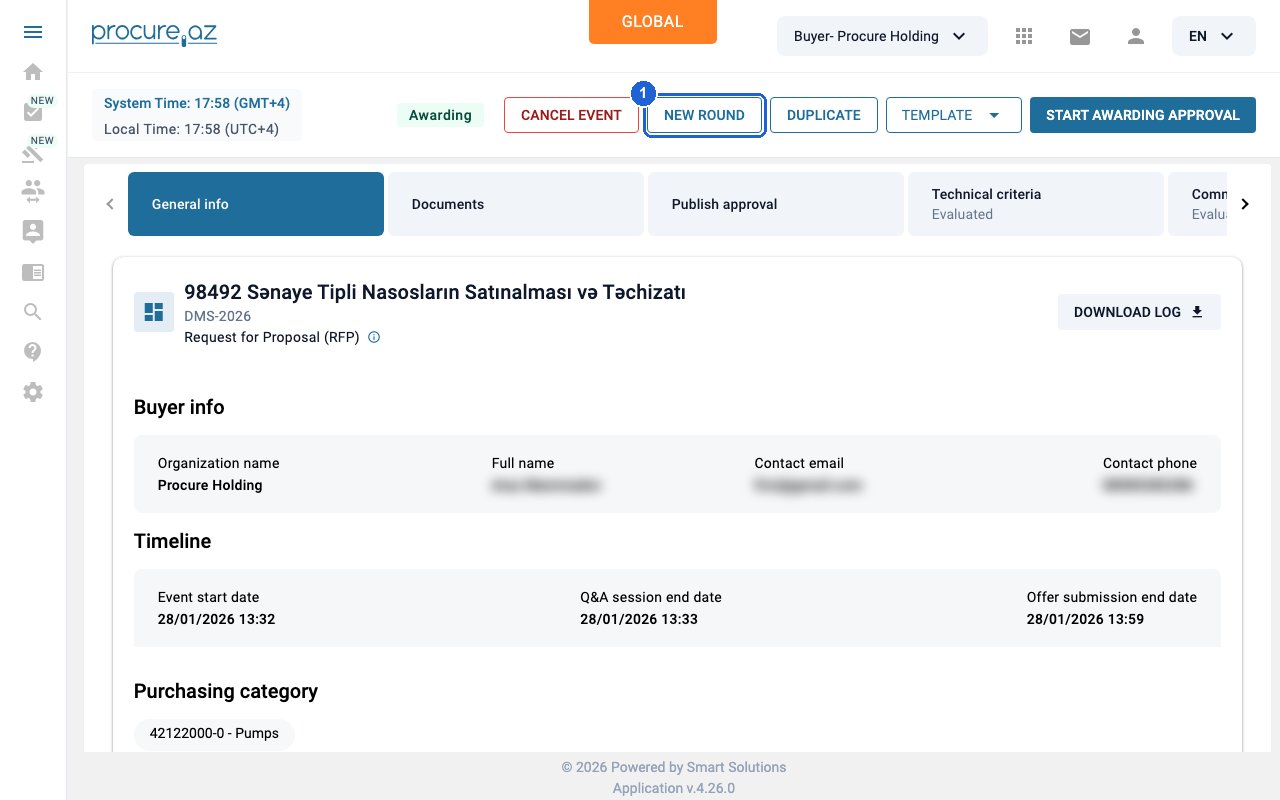
Start a new round
Open the event (status Awarding) and click NEW ROUND in the header.
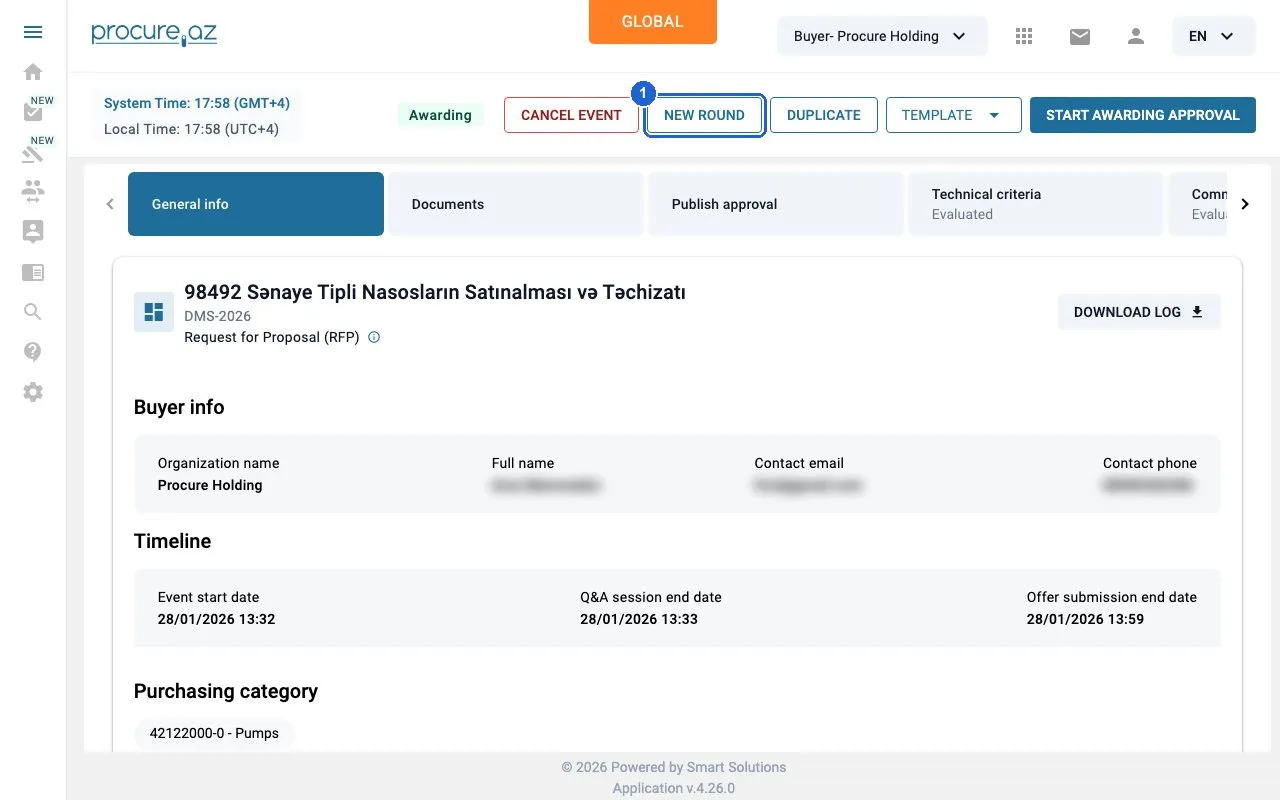
Step 1: Start a new round — click “NEW ROUND”. -
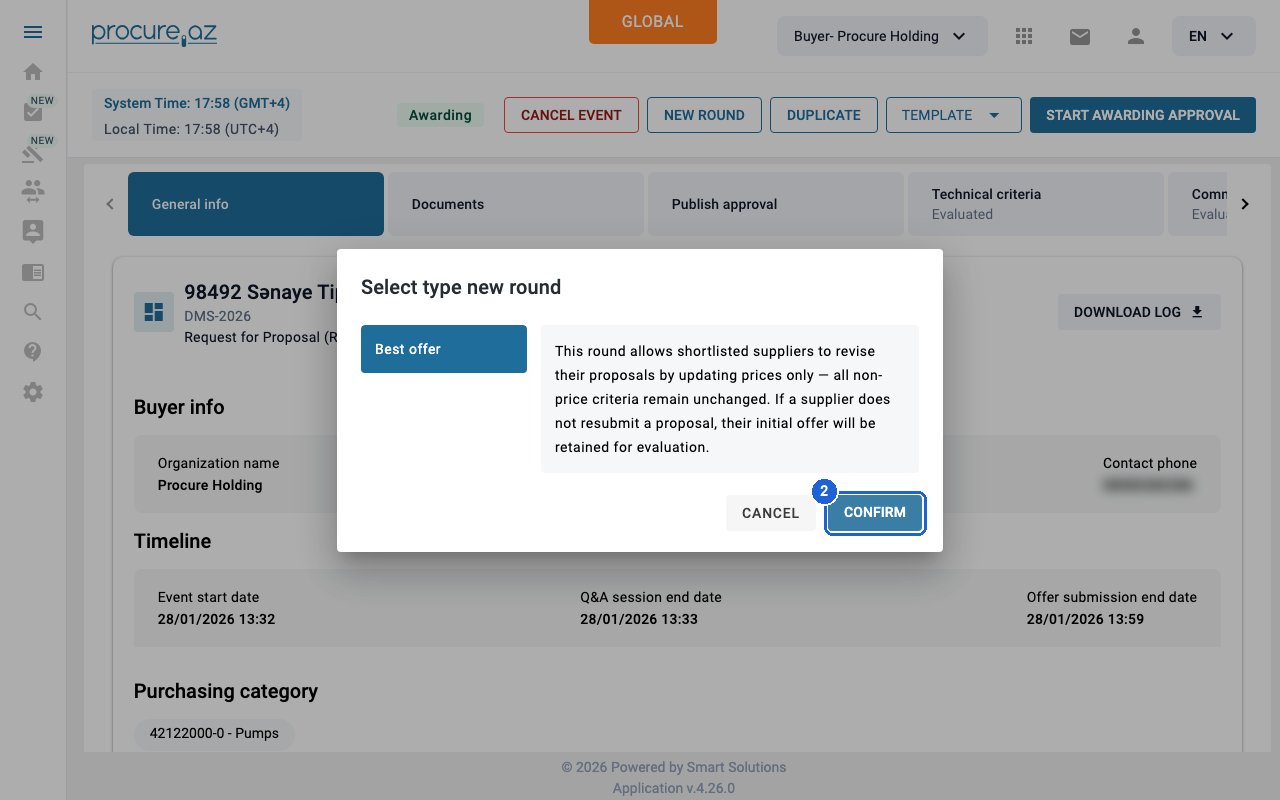
Choose Best offer
Keep “Best offer” in “Select type new round” and click CONFIRM. A Round 2 draft is created and opens in the Event constructor.
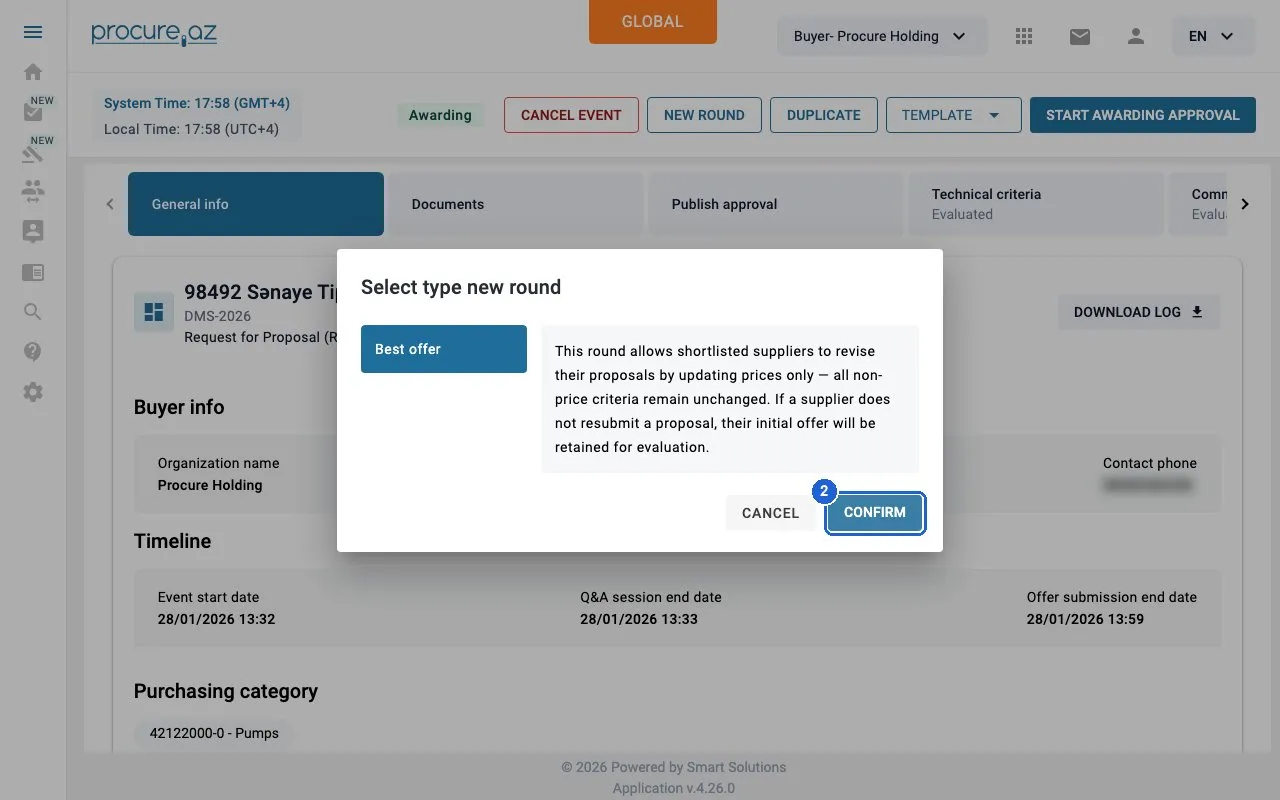
Step 2: Choose Best offer — click “CONFIRM”. -
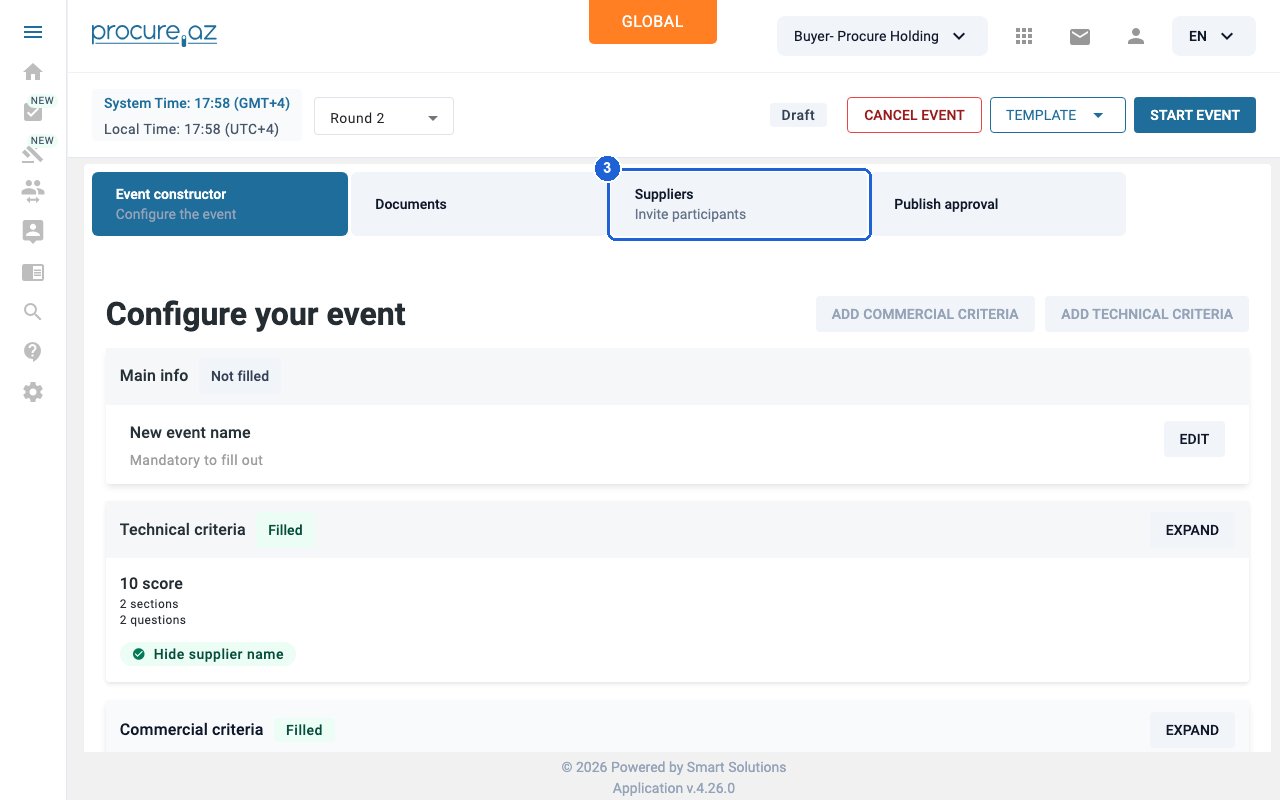
Open Suppliers
Click the Suppliers (“Invite participants”) step. It lists the suppliers carried over from the previous round.
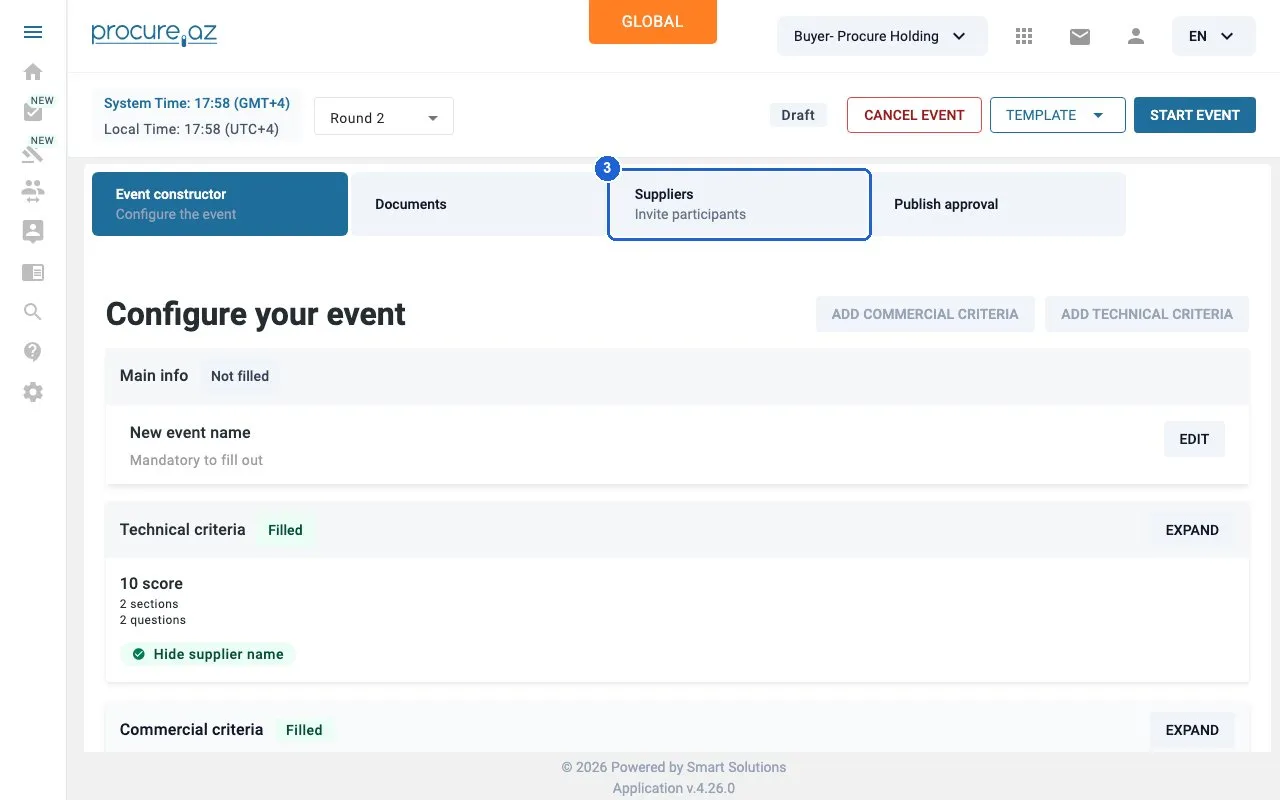
Step 3: Open Suppliers — click “Suppliers Invite participants”. -
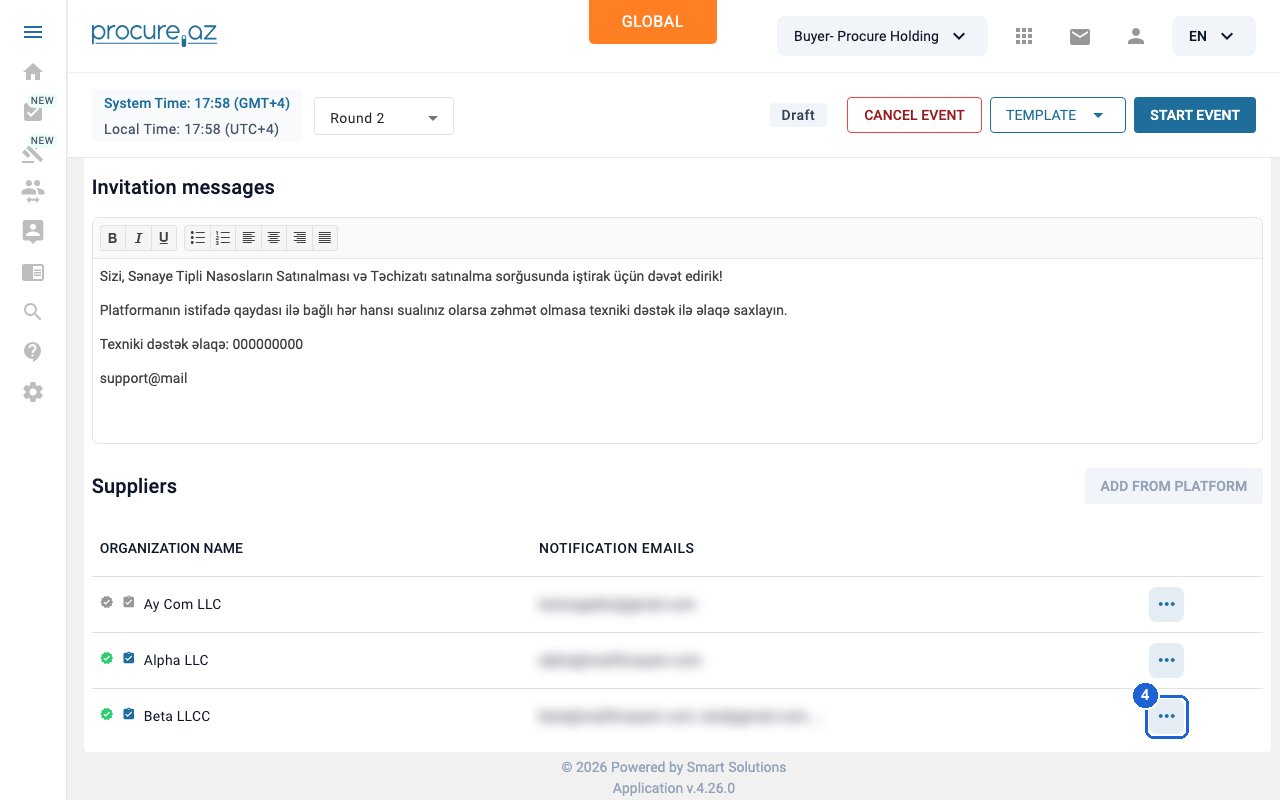
Open the supplier’s menu
Click the … button at the end of the row of a supplier you don’t want in the Best Price round (here Beta LLCC).
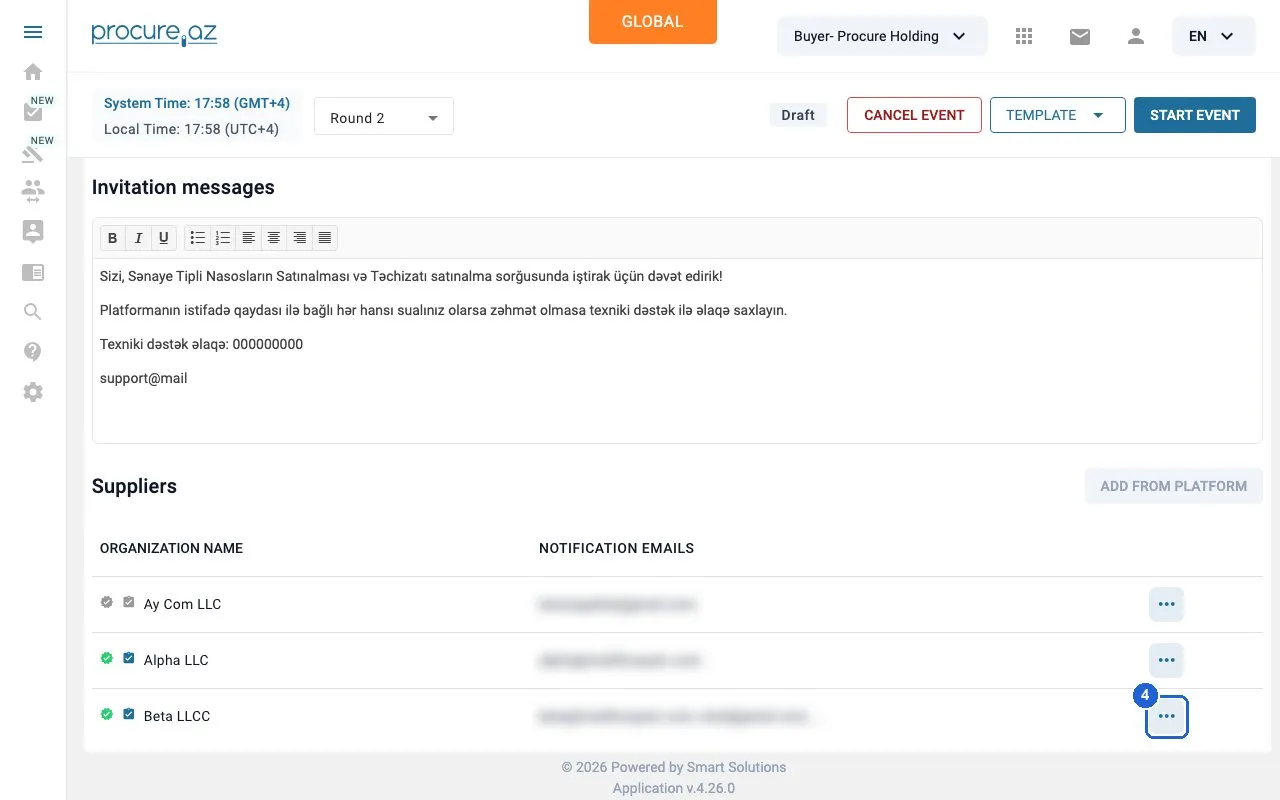
Step 4: Open the supplier's menu — click “more_horiz”. -
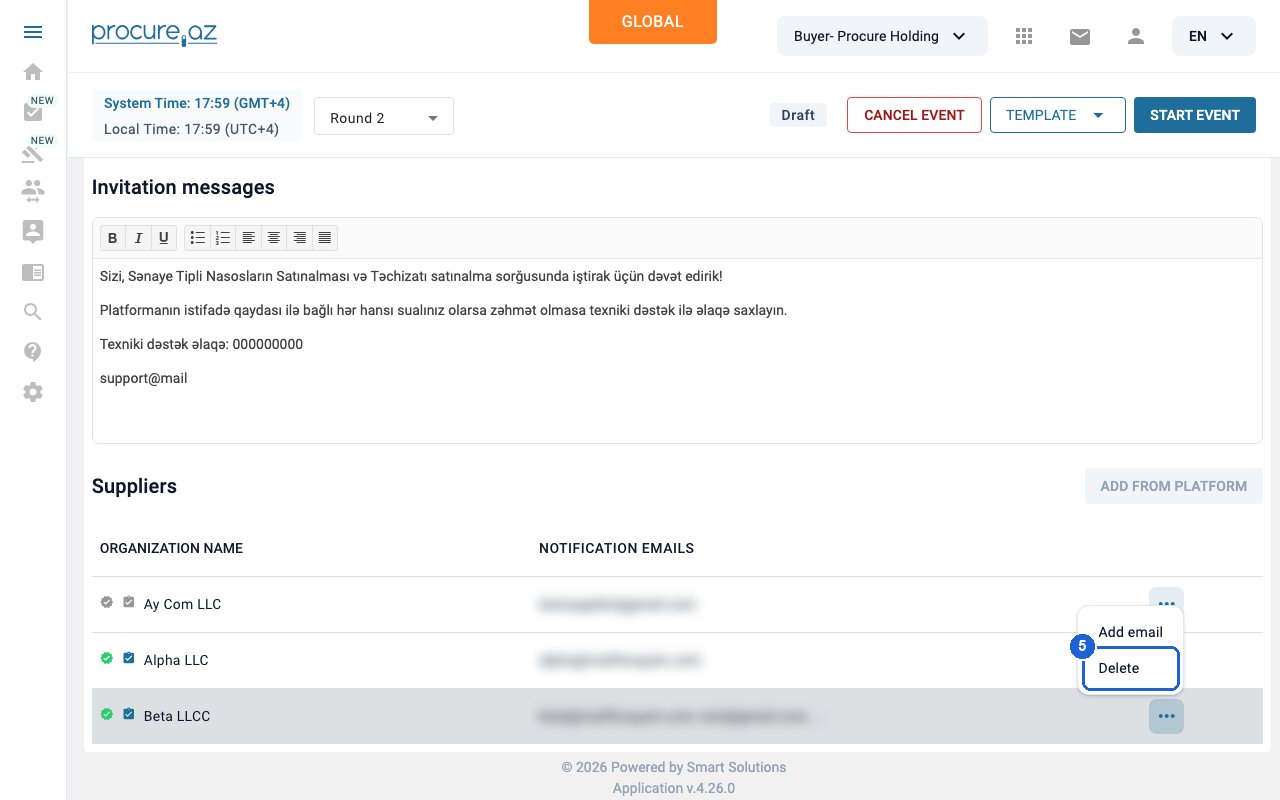
Delete the supplier
Click Delete.
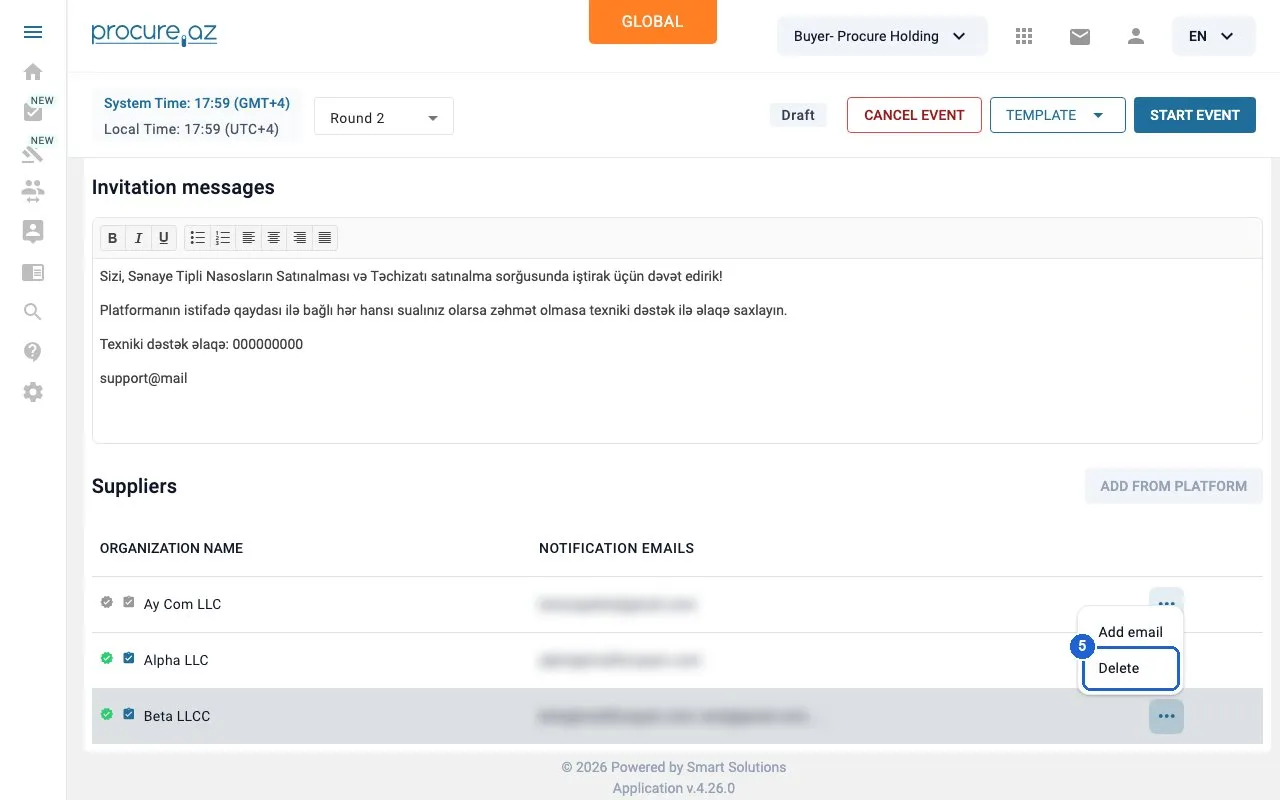
Step 5: Delete the supplier — click “Delete”. -
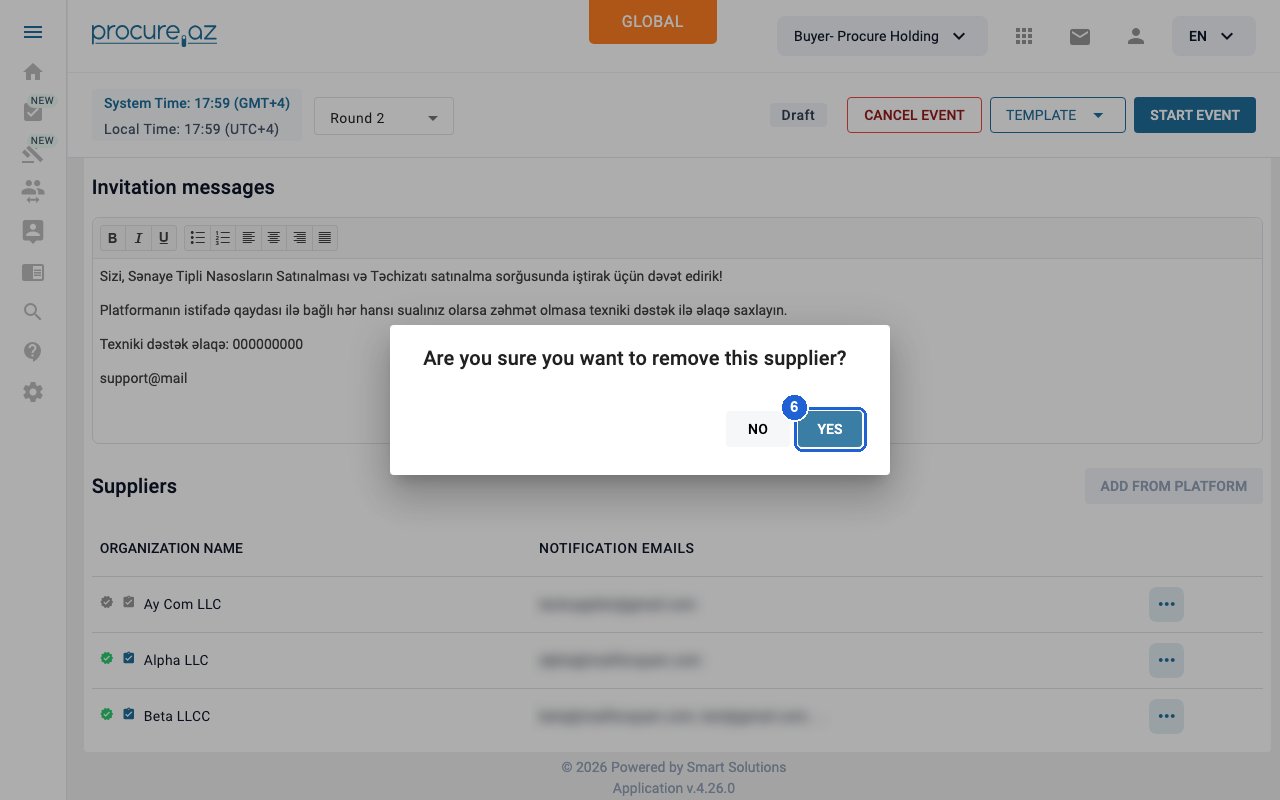
Confirm
Click YES. Repeat steps 4-6 until only the shortlisted suppliers remain.
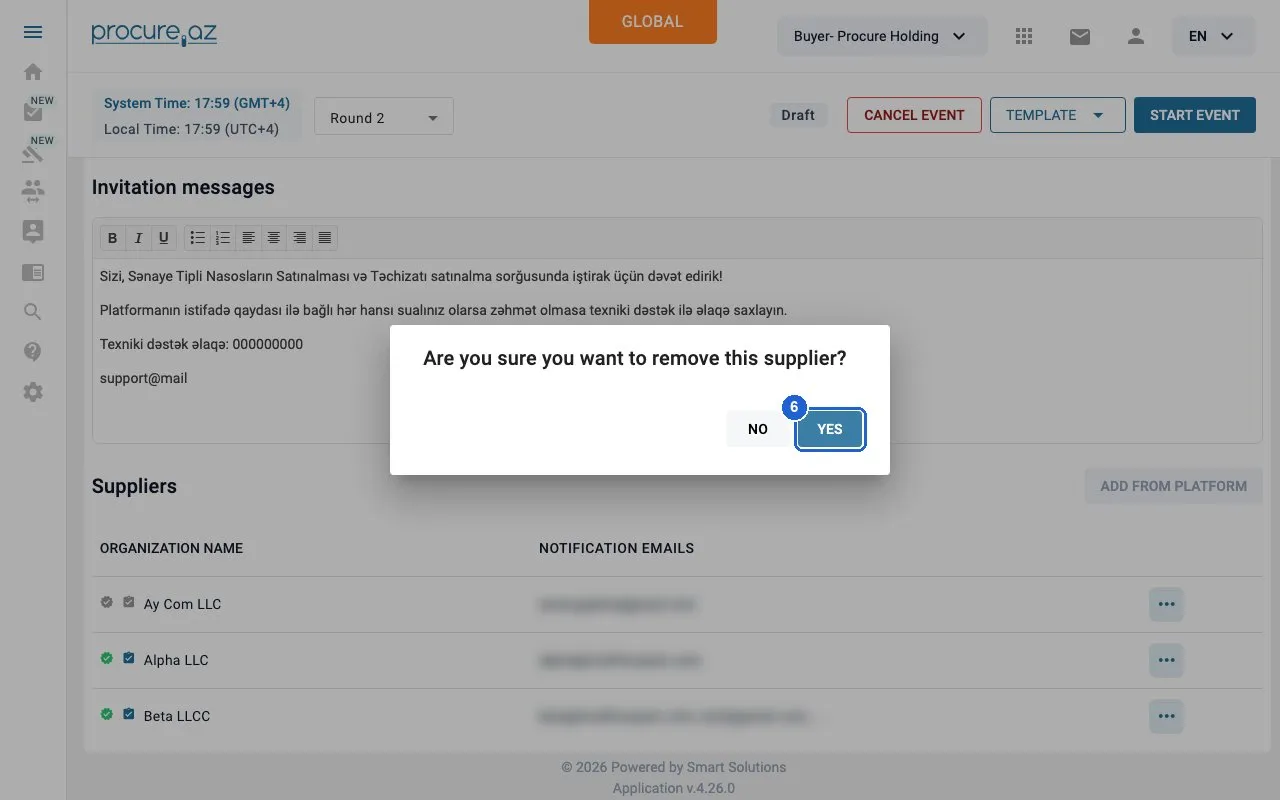
Step 6: Confirm — click “YES”. -
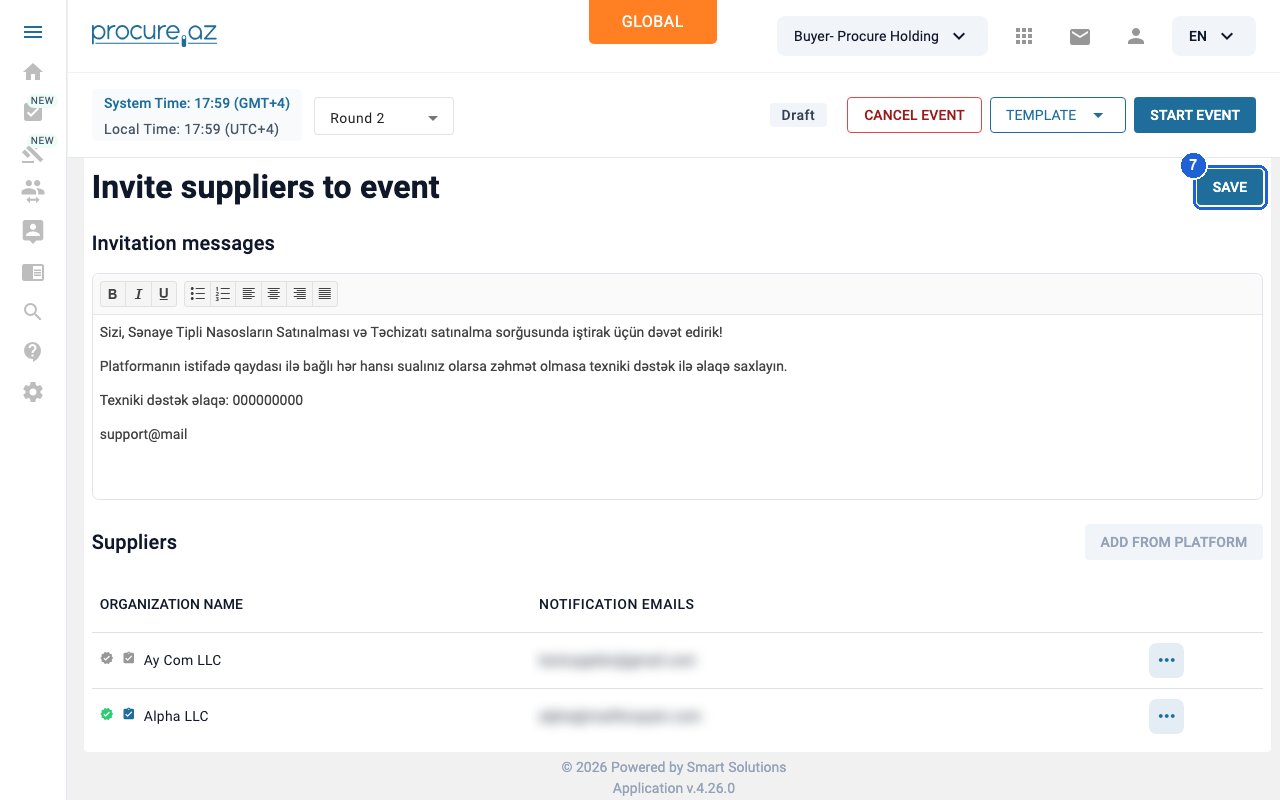
Save
Click SAVE at the top right of the page.
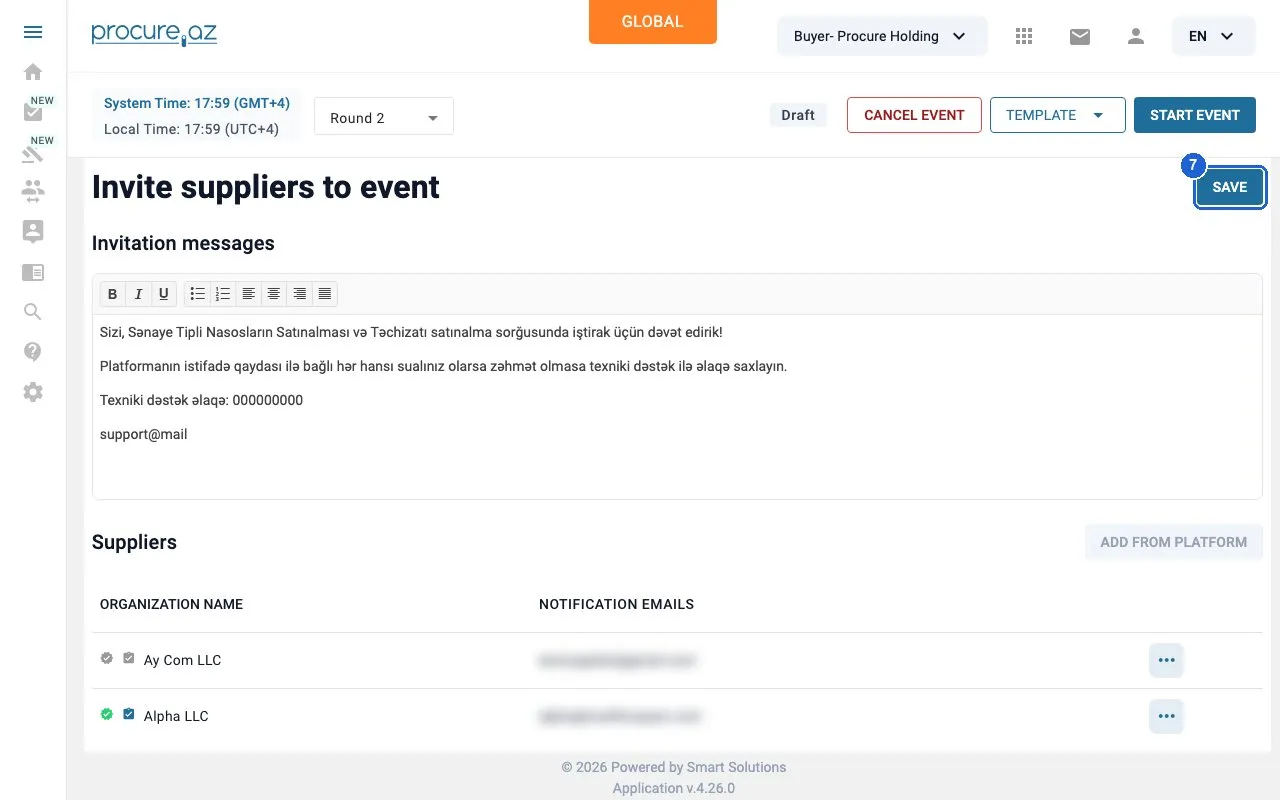
Step 7: Save — click “SAVE”.
Good to know
Section titled “Good to know”- ADD FROM PLATFORM is disabled in a new round: you can only remove suppliers carried over from the previous round, not add new ones.
- Then fill Main info and start the round - see “Start a Best Price round”.