

How do I start the Best Price (BAFO) round?
The Best Price round (“Best offer”) is started with NEW ROUND once commercial evaluation is finished. Shortlisted suppliers can then revise their prices only.
-
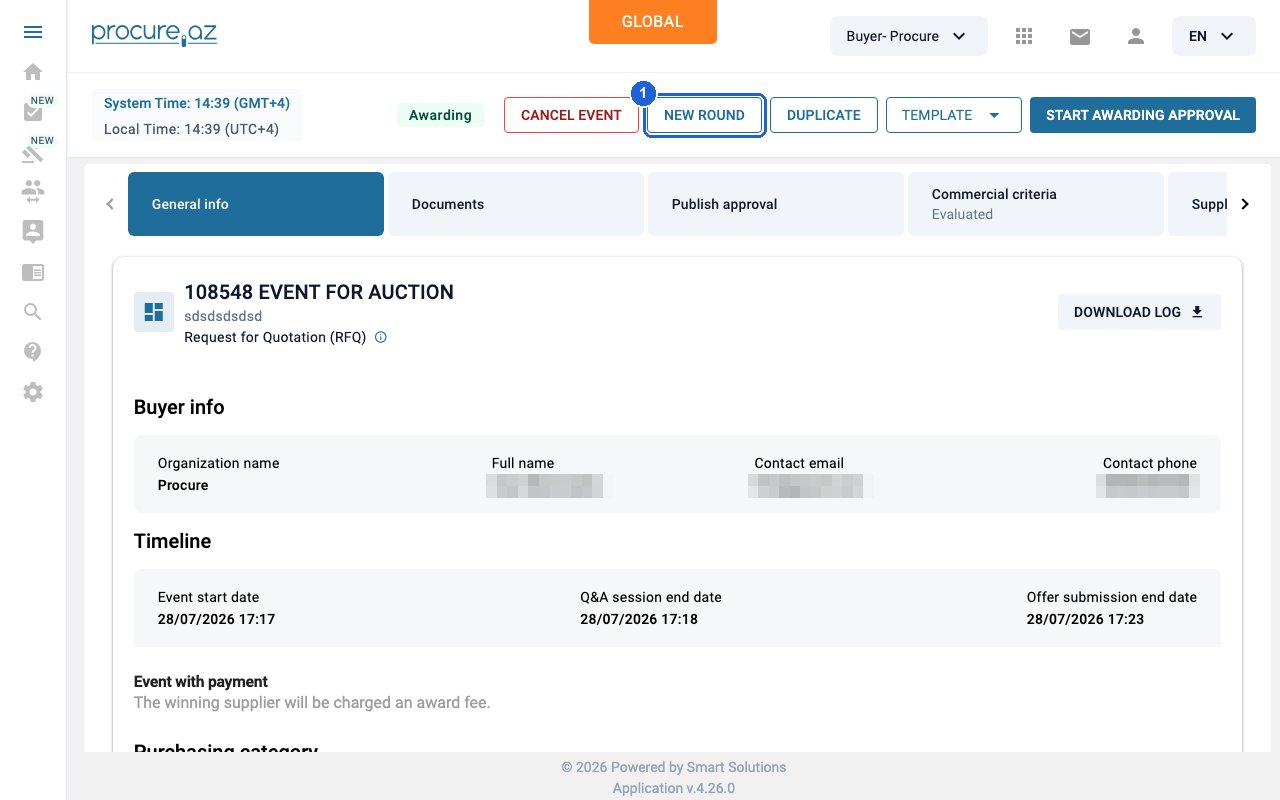
Open NEW ROUND
Open the event whose commercial evaluation is finished (status Awarding; the Commercial criteria tab shows “Evaluated”) and click NEW ROUND in the header.
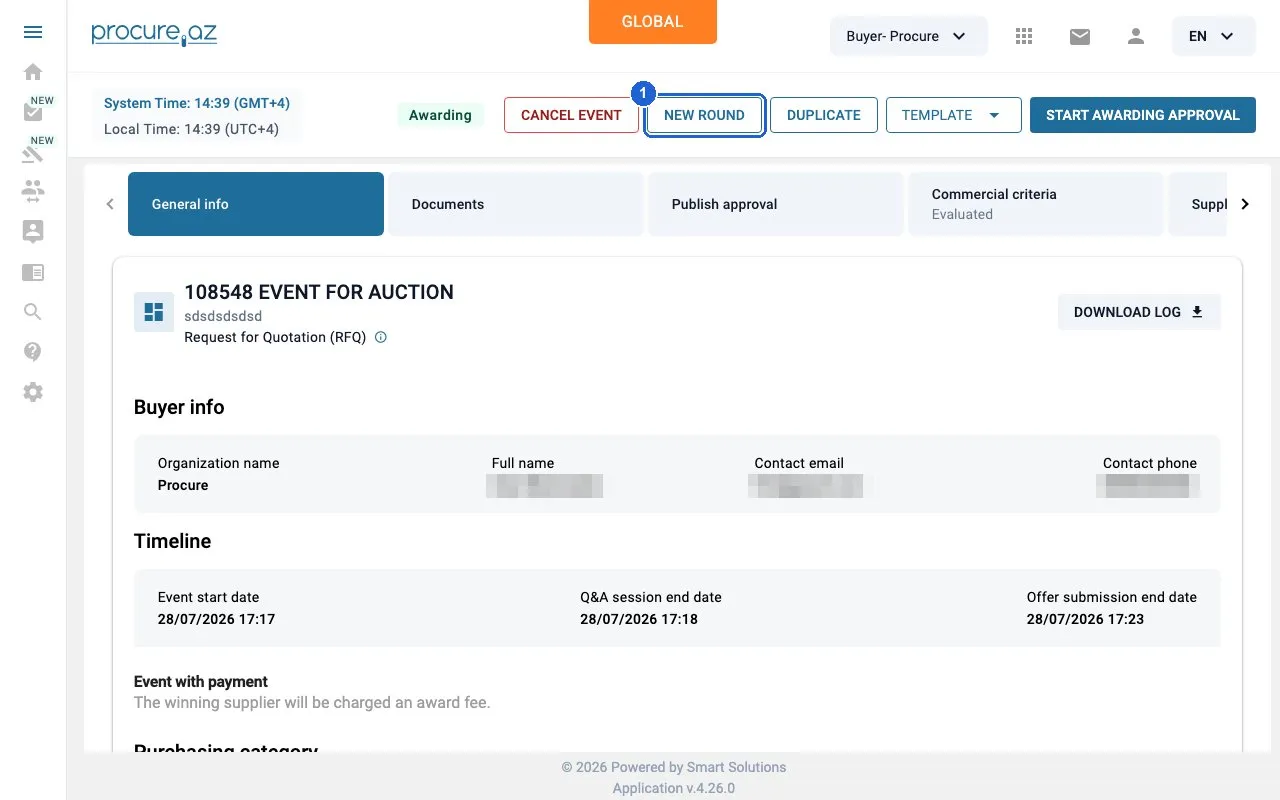
Step 1: Open NEW ROUND — click “NEW ROUND”. -
Choose Best offer and confirm
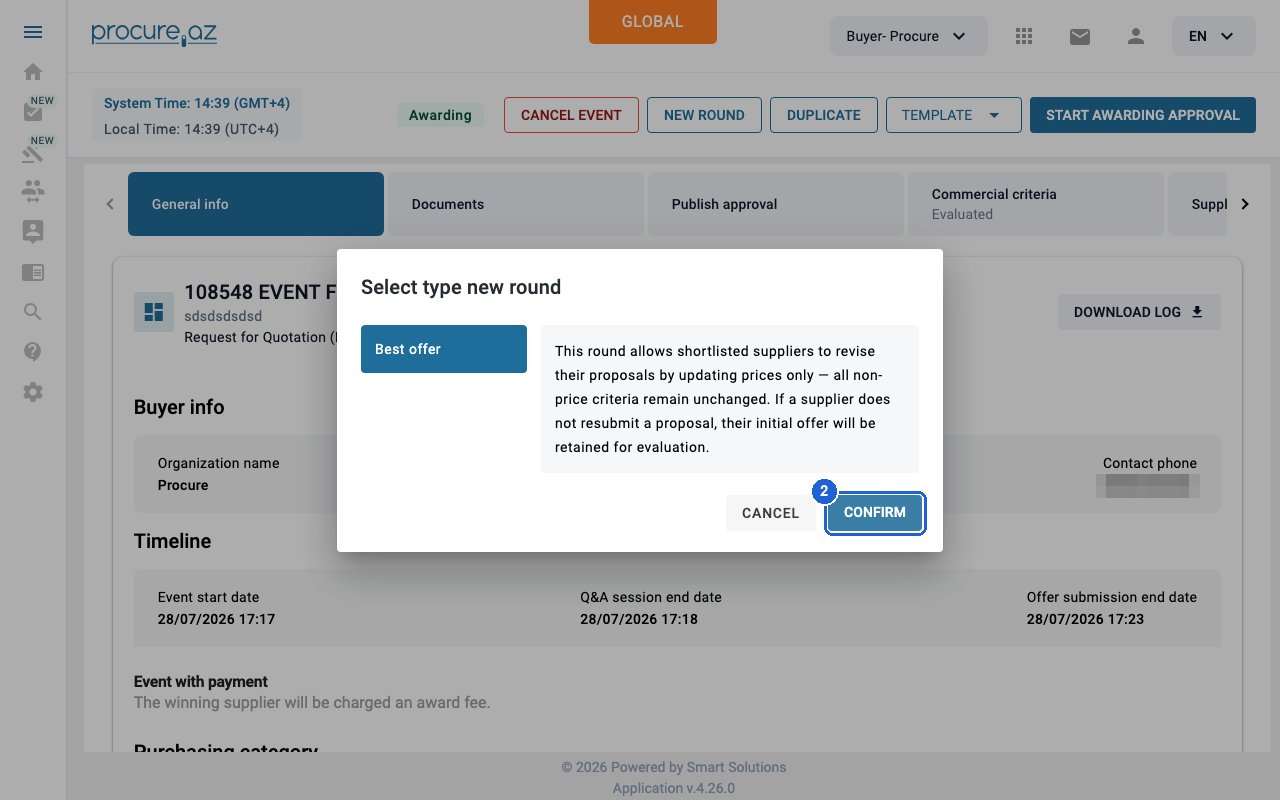
In the “Select type new round” dialog, make sure “Best offer” is selected and click CONFIRM. The platform creates the new round as a draft and opens it in the Event constructor.
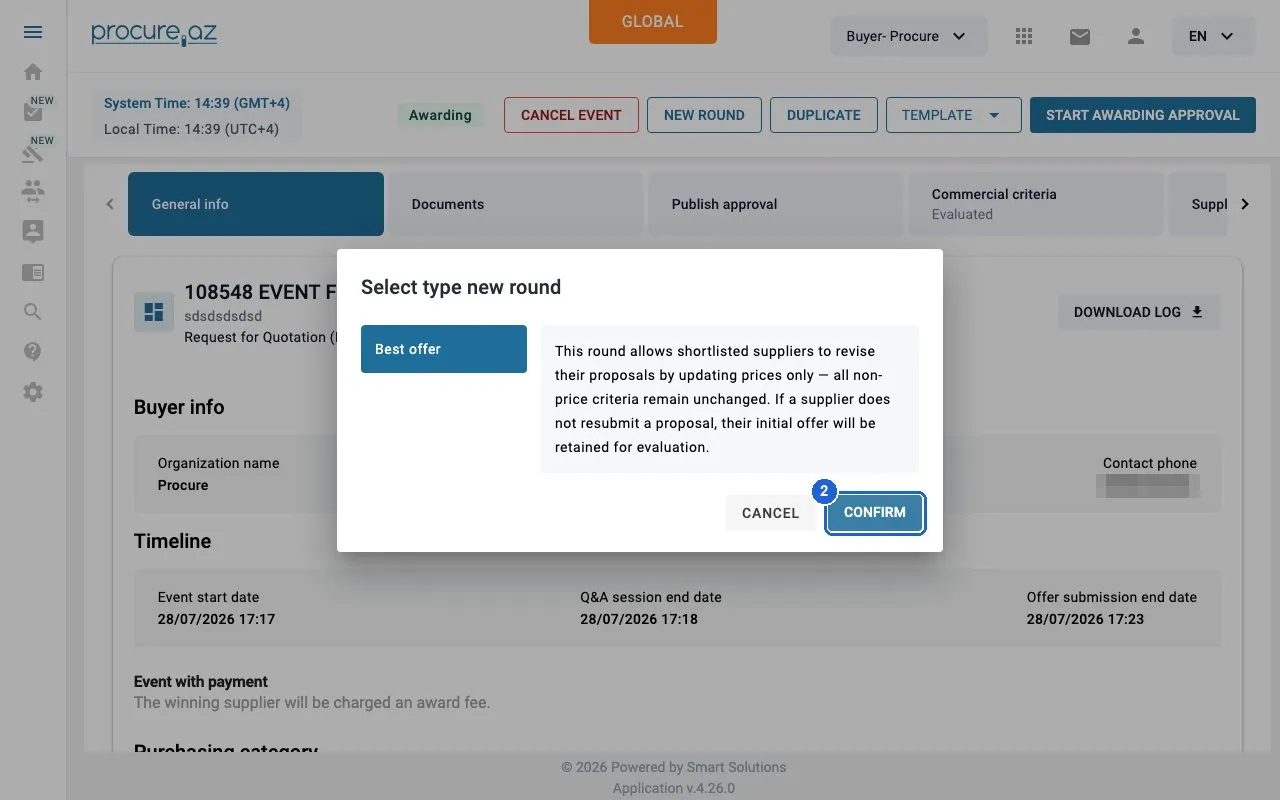
Step 2: Choose Best offer and confirm — click “CONFIRM”. -
Open Main info
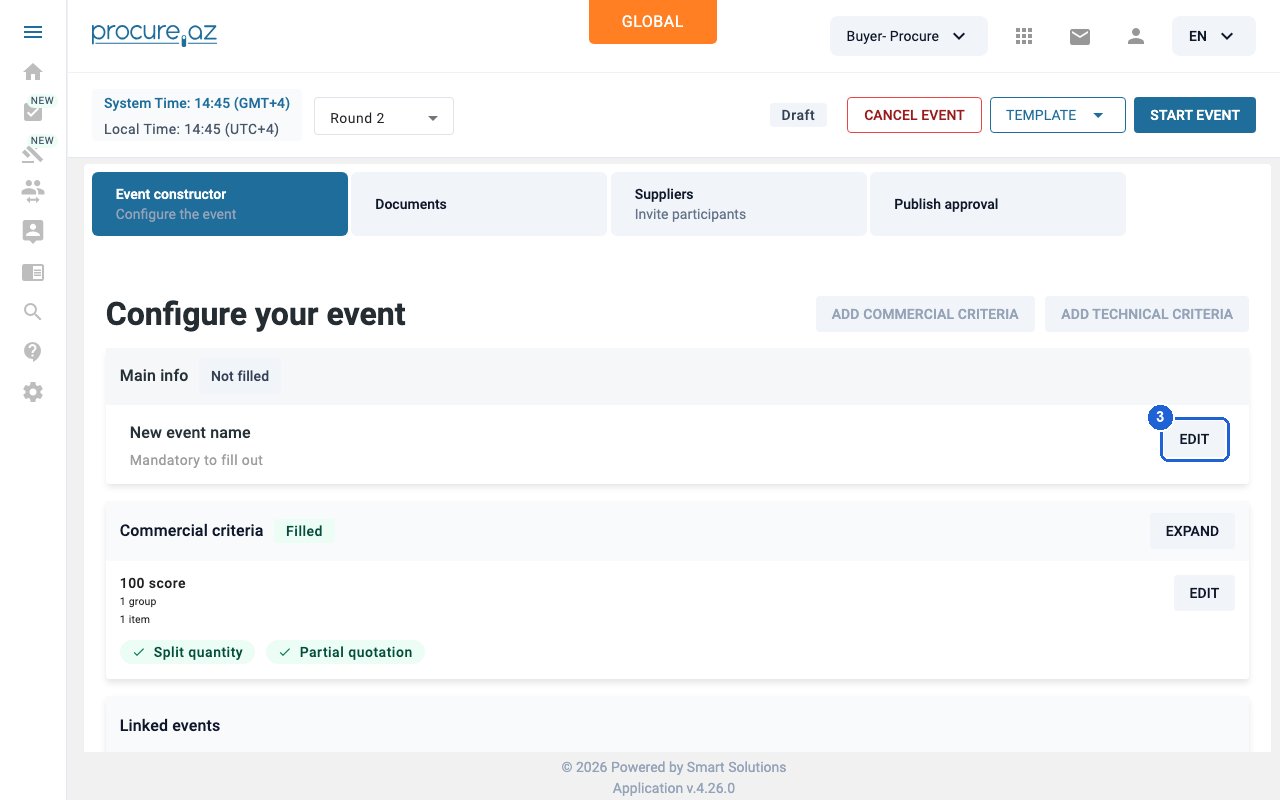
The commercial criteria are copied from the original event; only Main info needs to be filled in. Click EDIT on the Main info card.
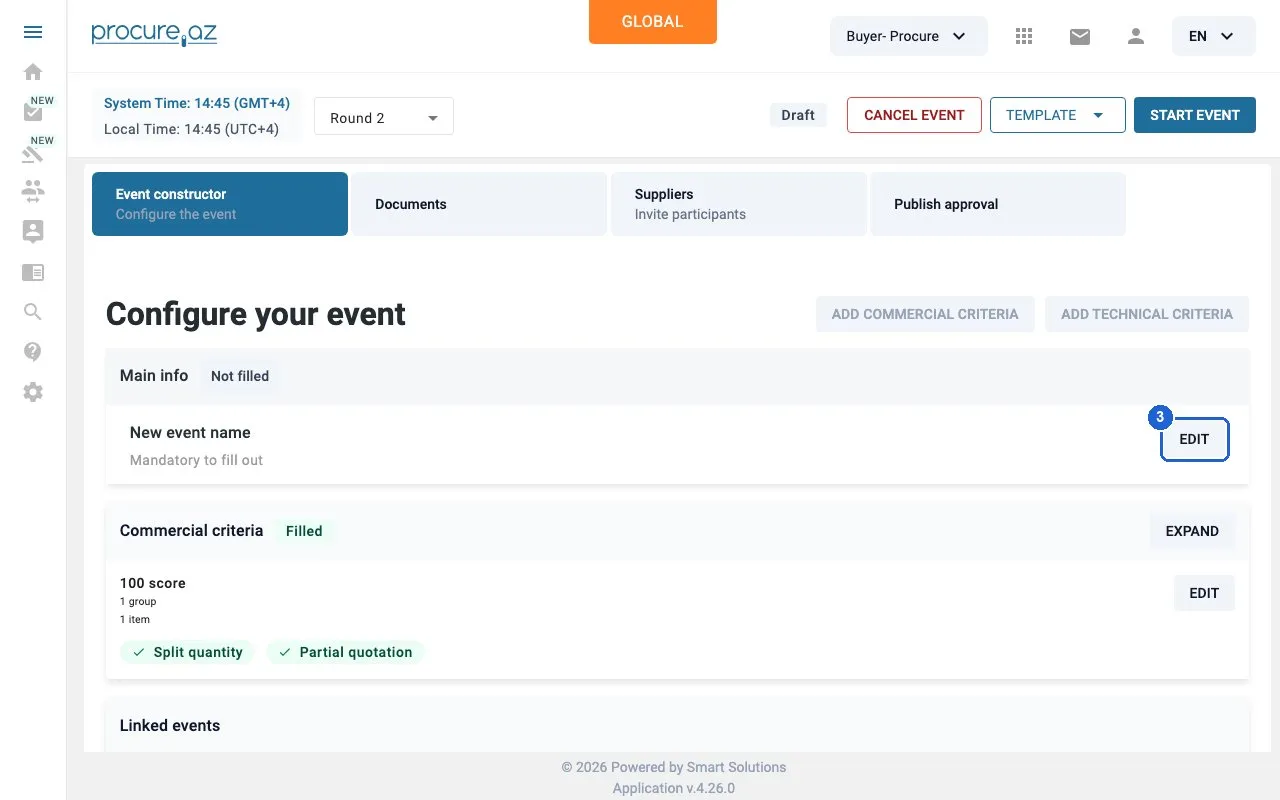
Step 3: Open Main info — click “EDIT”. -
Set the round’s timeline
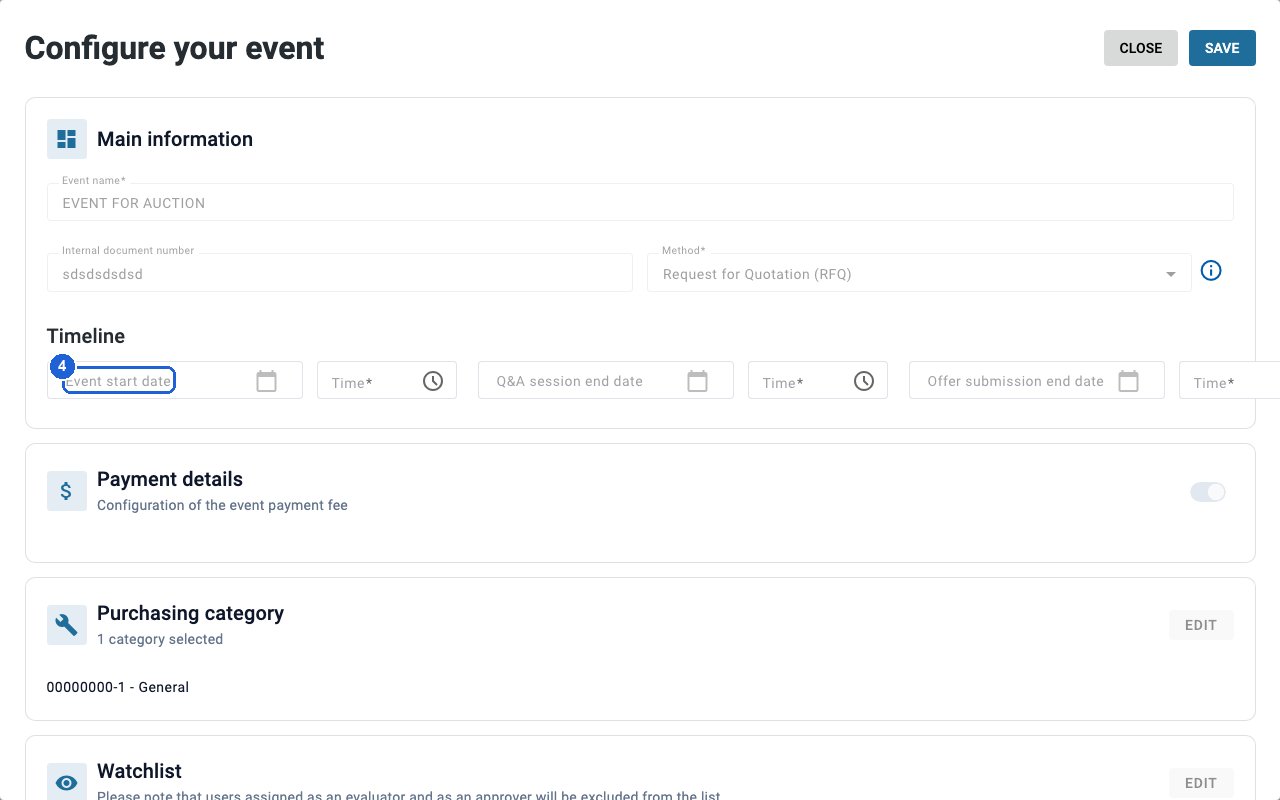
Type the Event start date and time, the Q&A session end date and time, and the Offer submission end date and time (for example 30/09/2026 and 12:00). Dates are DD/MM/YYYY and times HH:MM; you can type them straight into the fields.
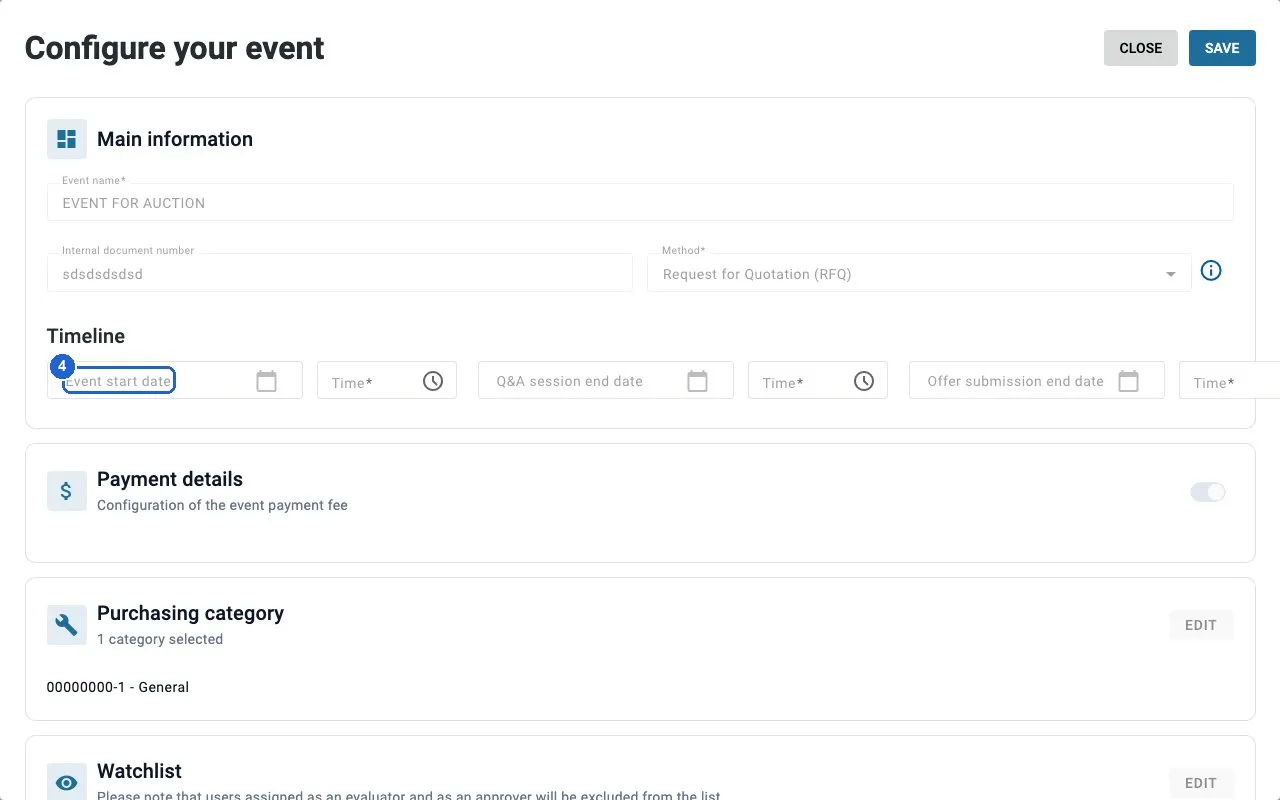
Step 4: Set the round's timeline — click “Event start date”. -
Save
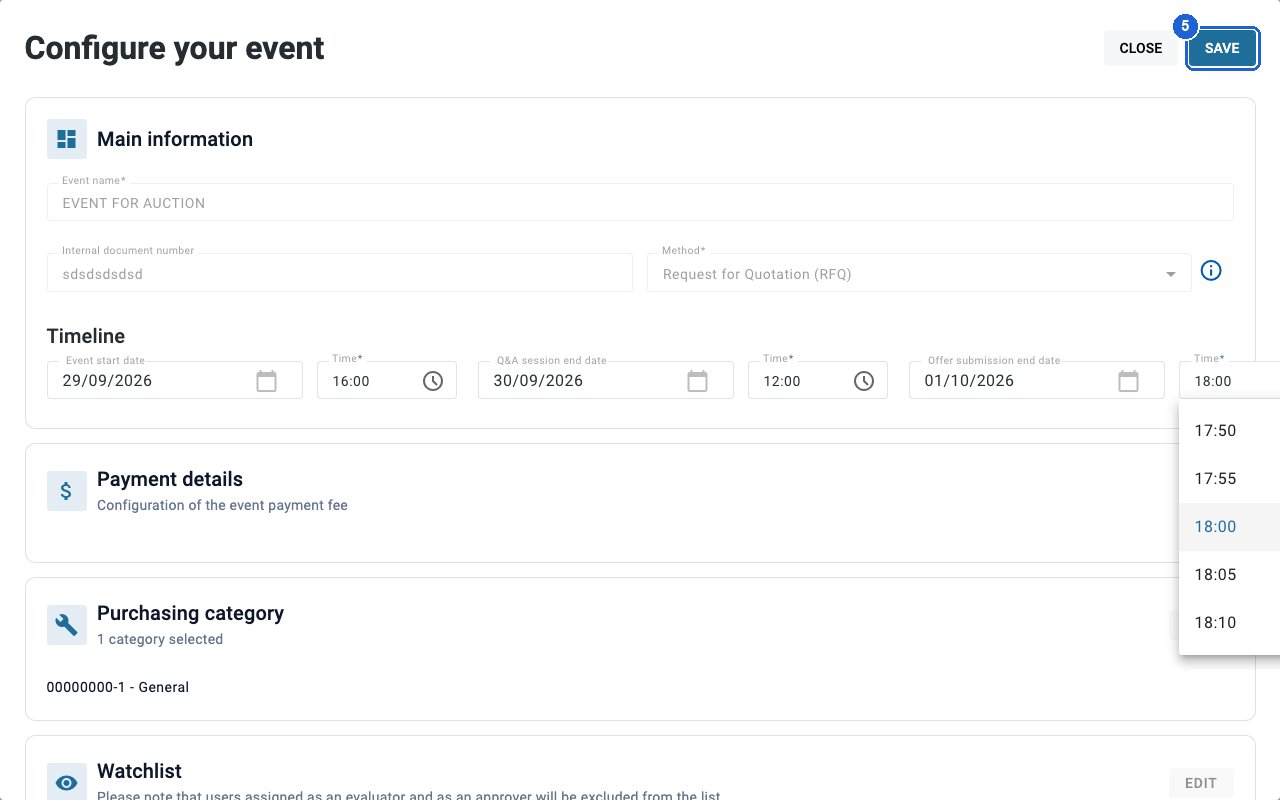
Click SAVE at the top right.
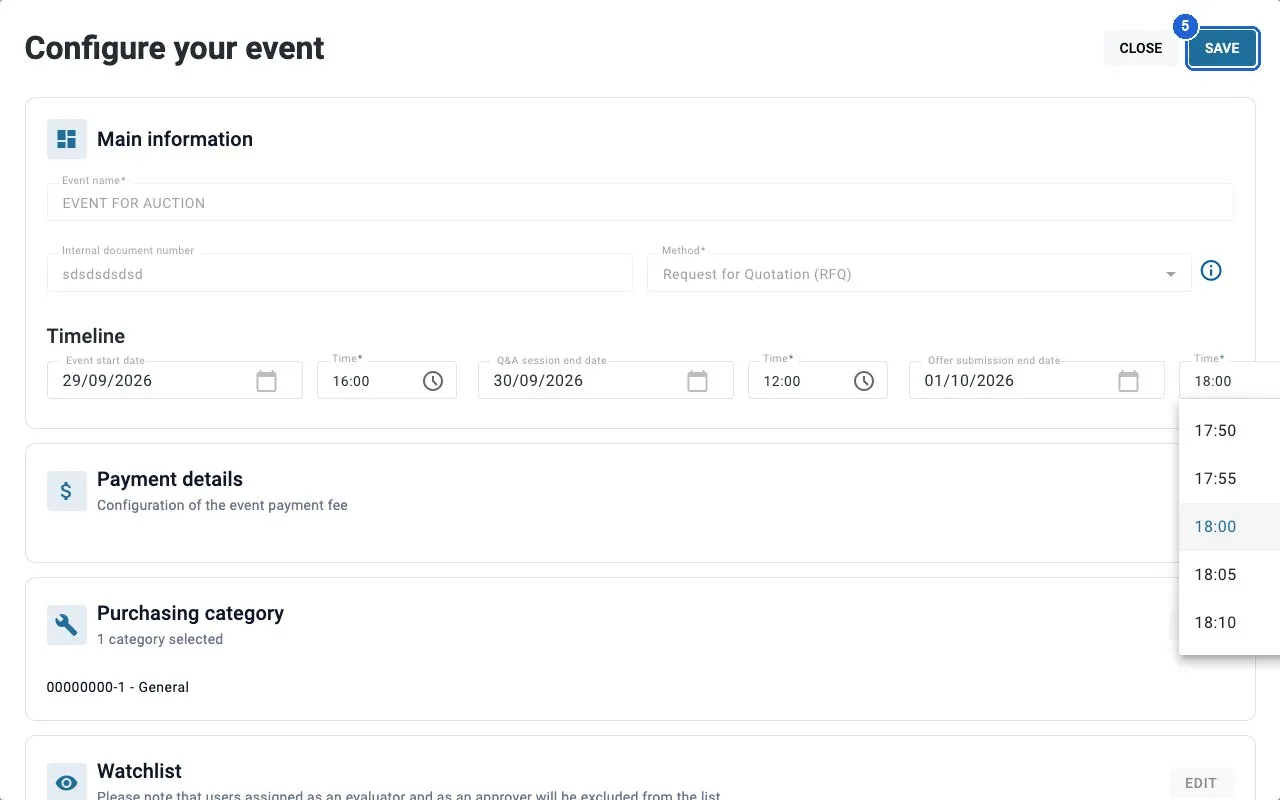
Step 5: Save — click “SAVE”. -
Start the round
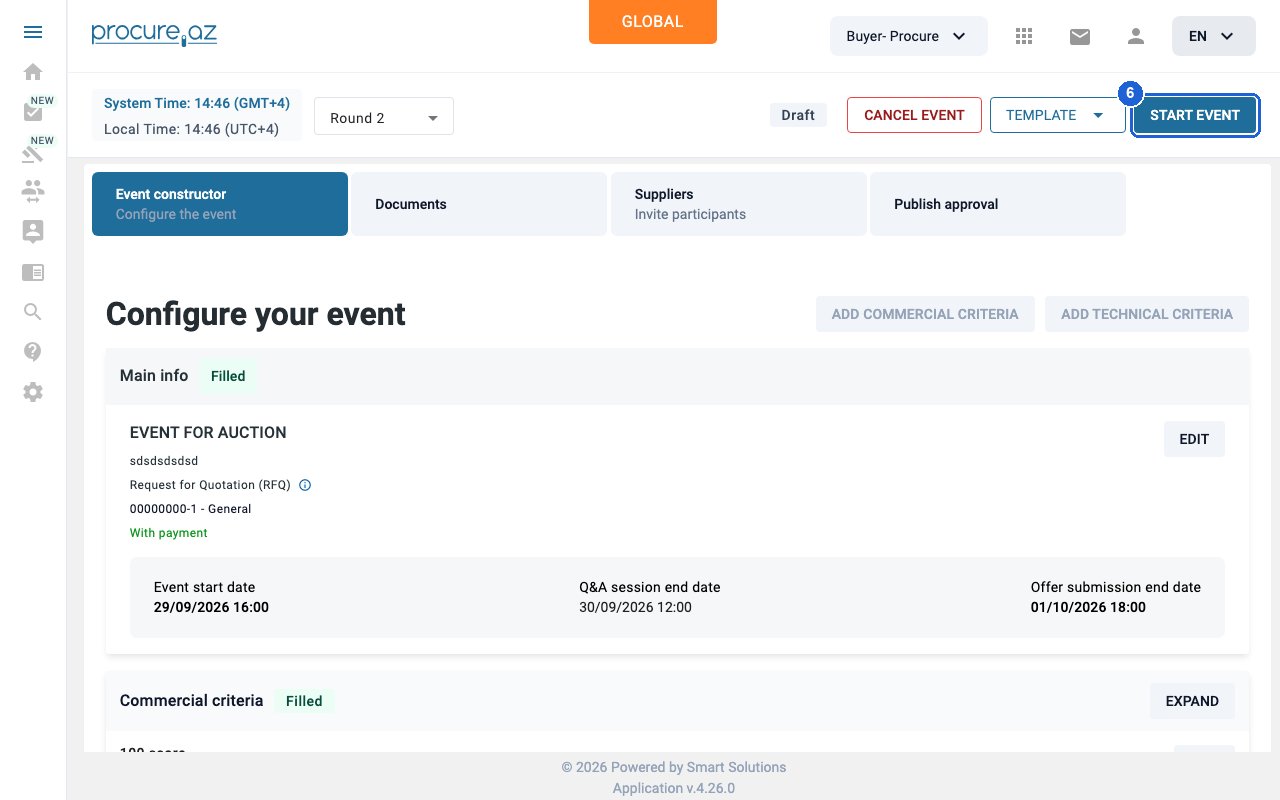
Click START EVENT in the header. The round becomes “Upcoming” and opens for offers at the start time.
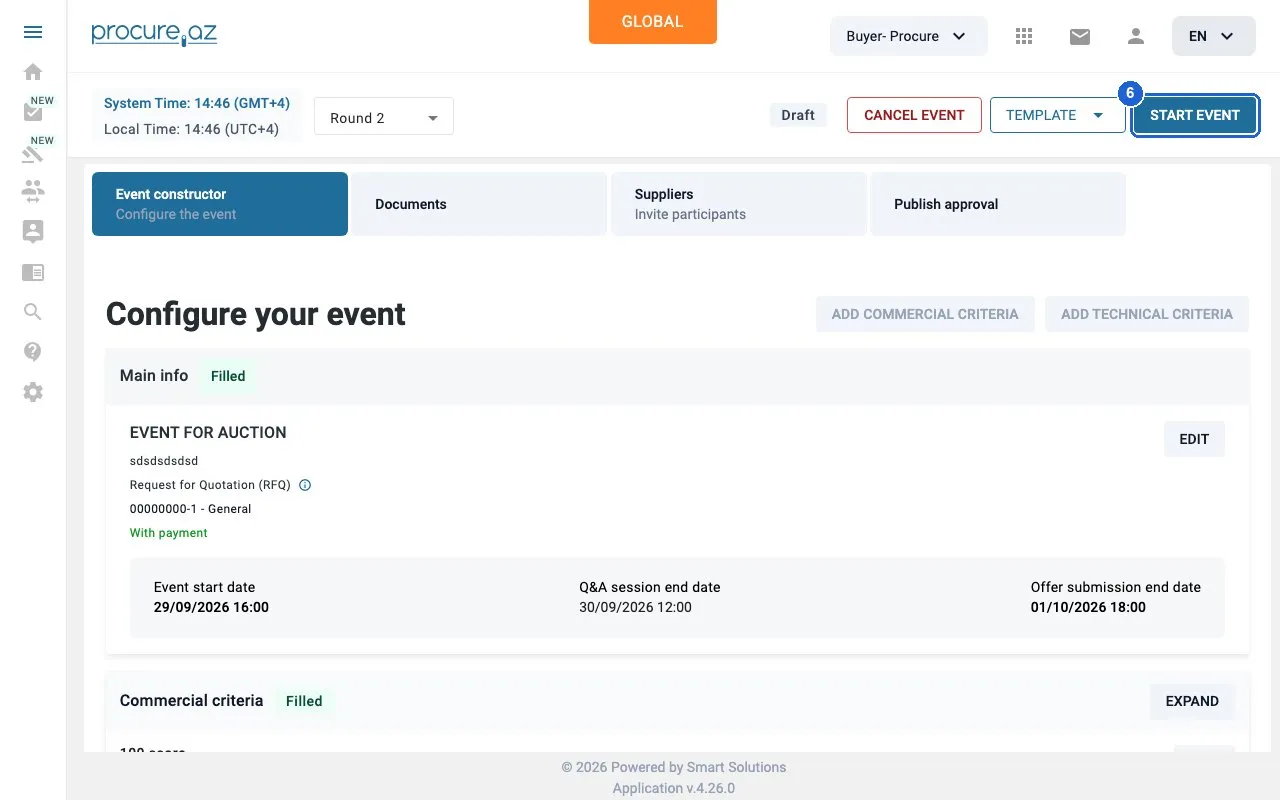
Step 6: Start the round — click “START EVENT”.
Good to know
Section titled “Good to know”- In a Best offer round, shortlisted suppliers can only update their prices; all non-price criteria stay unchanged. A supplier that doesn’t resubmit keeps its initial offer for evaluation.
- The new round keeps the event’s ID and appears as the next round (e.g. “Round 2”) in the Round dropdown next to the status, so you can switch between rounds.
- Between CONFIRM and START EVENT the round is a Draft. Nothing is sent to suppliers until you start it.
- An event whose next round is an auction shows SETUP AUCTION instead; that is a different round type.